
Engineering teams face mounting pressure to deliver faster, validate designs more thoroughly, and solve complex problems with shrinking timelines. AI and engineering have converged to address these challenges, not by replacing human expertise, but by automating repetitive tasks, accelerating calculations, and providing instant access to specialized knowledge. This article shows you exactly how to use AI tools like ChatGPT to tackle specific engineering workflows, from design validation to documentation generation.
Understanding AI's Role in Engineering Workflows
The integration of ai and engineering creates practical value when applied to specific, repeatable tasks. Engineers don't need AI to replace their judgment, they need it to eliminate bottlenecks.
Modern AI tools excel at three core functions within engineering contexts:
- Pattern recognition across design specifications and historical data
- Rapid calculation for initial sizing, load estimates, and feasibility checks
- Documentation generation from technical inputs and project parameters
Research shows that AI coding tools are now generating the majority of code in nearly two-thirds of companies, with top engineering teams doubling their output. The same principle applies across disciplines: AI handles implementation while engineers focus on design decisions.
Identifying High-Value Applications
Not every engineering task benefits equally from AI assistance. Focus on workflows where:
- You repeat similar analyses with different parameters
- Documentation follows standardized formats
- Initial estimates require quick validation
- Code generation follows established patterns

The key distinction is between tasks requiring creative problem-solving versus those following established procedures. AI and engineering partnerships work best when AI accelerates the procedural work.
Automating Structural Analysis Checks
Problem: Structural engineers spend hours performing preliminary load calculations and code compliance checks for routine projects.
Solution: Use ChatGPT to generate initial calculations and identify potential code violations before detailed analysis.
Step 1: Define Your Analysis Parameters
Create a structured prompt that includes project type, materials, loads, and applicable codes. Specificity produces better results.
You are a structural engineer performing preliminary analysis. I need:

Project: [Two-story commercial building]
Location: [Seattle, WA]
Design codes: [IBC 2021, ASCE 7-22]
Materials: [Steel frame, concrete slab]

Tasks:
1. Calculate dead loads for typical bay (20ft x 30ft)
2. Determine live load requirements per code
3. Estimate wind loads for exposure category B
4. Identify potential code compliance issues

Provide calculations with code references. Show your work step-by-step.
Step 2: Review and Validate Outputs
AI provides starting points, not final designs. Always verify calculations against code requirements and engineering judgment.
Example Output:
The AI returns dead load calculations (15 psf for slab, 10 psf for mechanical, 5 psf for ceiling), live load requirements (50 psf for office areas per IBC Table 1607.1), and wind pressure estimates using the simplified method from ASCE 7-22. It flags that seismic design category determination requires site-specific soil data.
This output saves 30-45 minutes on initial scoping and immediately identifies information gaps.
Step 3: Refine Based on Project Specifics
Use follow-up prompts to drill into specific concerns or adjust parameters based on the preliminary results.
Generating Engineering Documentation
Engineers spend 20-30% of project time on documentation. AI and engineering combine effectively here because documentation follows predictable structures.
| Document Type | Time Savings | AI Approach |
|---|---|---|
| Design basis reports | 40-50% | Template completion with technical inputs |
| Calculation packages | 30-40% | Formatted output from analysis results |
| Specification sections | 50-60% | Customized from standard templates |
| Technical memos | 35-45% | Structured summaries of decisions |
Creating Design Basis Reports
Generate a design basis report section for:

Project: Highway bridge replacement
Span: 120 feet, single span
Materials: Prestressed concrete girders
Loading: HL-93 vehicular, pedestrian walkway
Environmental: Coastal exposure, moderate seismic zone

Include:
- Applicable design codes and standards
- Load combinations per AASHTO LRFD
- Material specifications
- Geotechnical assumptions (note as preliminary)
- Design life and durability requirements

Format as a formal engineering document with numbered sections.
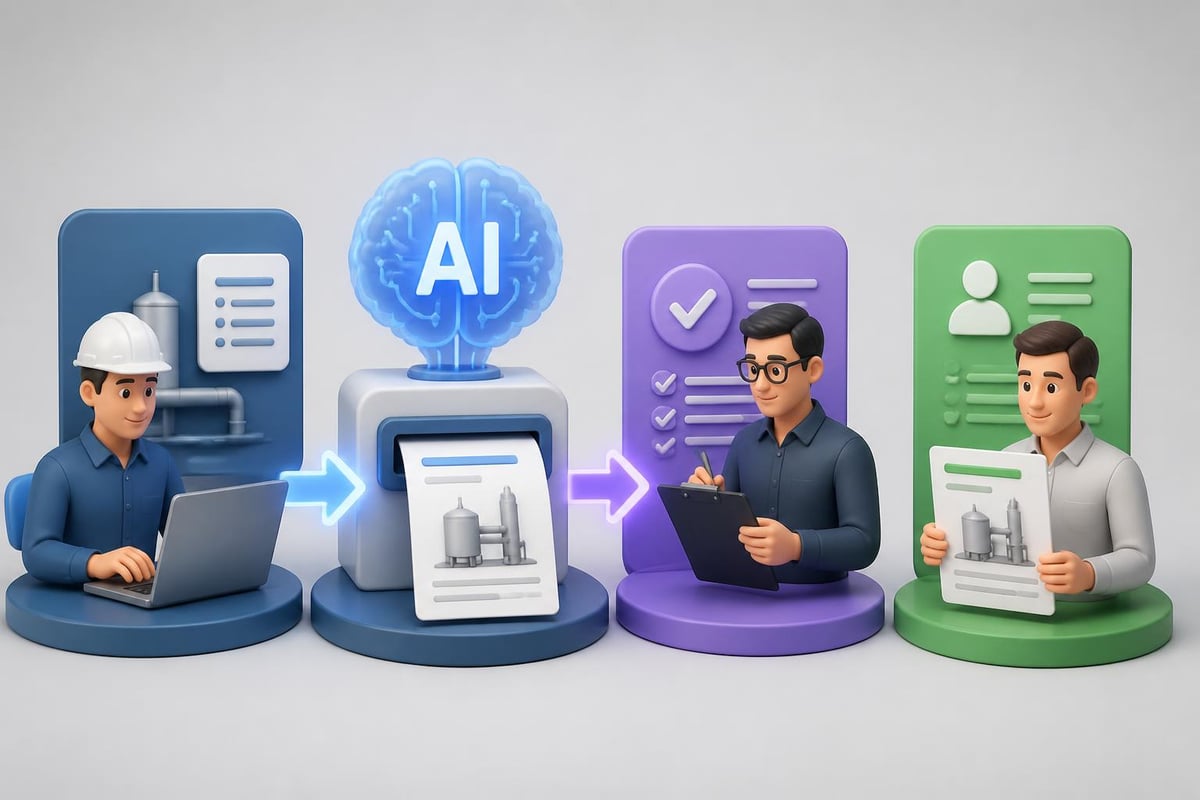
The AI produces a structured report that includes proper code references, standard load combinations, and appropriate caveats about preliminary assumptions. Engineers review for technical accuracy and project-specific adjustments, cutting documentation time in half.
Code Review and Debugging for Software Engineers
Software engineering benefits dramatically from ai and engineering integration. The workflow differs from structural analysis but follows similar principles: AI handles pattern matching and syntax, engineers ensure logic and architecture.
Identifying Logic Errors
Review this Python function for structural analysis. Identify:
1. Logic errors in load combination calculations
2. Missing edge cases or boundary conditions
3. Potential numerical stability issues
4. Code efficiency improvements

[Paste your code here]

Context: This function calculates combined stresses for steel beam design per AISC 360-22. It must handle both compact and non-compact sections.
The AI examines the code against engineering principles and programming best practices simultaneously. It might identify that you're not checking for local buckling in non-compact sections, or that division by zero could occur with certain input combinations.
Generating Test Cases
Engineers need comprehensive test coverage but writing test cases consumes significant time. AI generates test scenarios based on engineering requirements.
According to recent analysis, AI applications in engineering face challenges with data quality and model interpretability, making human review of AI-generated outputs essential. This applies equally to test case generation.
Prompt Engineering for Technical Accuracy
The quality of AI outputs in engineering contexts depends entirely on prompt construction. Generic prompts produce generic results. Technical prompts require:
- Specific codes and standards referenced by exact edition
- Numerical parameters with units explicitly stated
- Expected output format clearly defined
- Assumptions and limitations acknowledged upfront
Building Effective Technical Prompts
Start with role definition, provide context, specify deliverables, and set constraints.
Poor prompt: "Calculate the load on a beam"
Effective prompt:
You are a structural engineer using ASD methodology per AISC 14th edition.

Given:
- W12x26 steel beam, A992 steel (Fy = 50 ksi)
- Simple span = 20 feet
- Uniform dead load = 0.5 kip/ft
- Concentrated live load = 5 kips at midspan
- Unbraced length = 20 feet (Lb = L)

Calculate:
1. Maximum moment (kip-ft) with load combinations
2. Allowable bending stress (ksi)
3. Actual bending stress (ksi)
4. Unity check ratio
5. Verdict: adequate or overstressed

Show calculations with section property references.
The effective prompt eliminates ambiguity and produces usable engineering calculations.
Real-World Implementation for Engineering Teams
Individual engineers benefit from AI tools, but teams see multiplied returns when they standardize approaches. Organizations integrating ai and engineering successfully follow specific patterns.
Creating Shared Prompt Libraries
Teams waste time reinventing prompts for common tasks. Build a centralized library organized by discipline and task type.
Categories to include:
- Preliminary design calculations by structural system type
- Code compliance checklists by jurisdiction
- Documentation templates by deliverable type
- Quality review procedures by analysis method
- Specification generation by material category
One civil engineering firm documented 40% time savings on routine projects after creating a library of 50 standardized prompts for common calculations and document generation.

For engineers looking to develop systematic AI skills beyond individual prompts, structured training provides comprehensive coverage of tools and techniques. Mammoth Club offers AI certification and access to thousands of courses covering ChatGPT, Claude, and other tools specifically for professionals automating engineering workflows and building job-ready AI skills.
Establishing Quality Control Protocols
AI outputs require verification. Teams need clear protocols defining:
- What requires full manual review (novel designs, critical systems, liability concerns)
- What needs spot-checking (routine calculations, standard details, repeated analyses)
- What can be directly used (documentation formatting, code structure, test case generation)
| Task Category | Review Level | Typical Time Savings |
|---|---|---|
| Novel structural systems | Full manual review | 10-15% |
| Routine building design | Spot-check calculations | 30-40% |
| Standard connection details | Verify against standards | 45-55% |
| Technical documentation | Format and accuracy review | 50-60% |
Research on AI’s impact on engineering creativity demonstrates that engineers using AI tools focus more on strategic design decisions while AI handles implementation details, fundamentally changing how teams allocate their expertise.
Specialized Applications by Discipline
Different engineering disciplines benefit from ai and engineering integration in distinct ways. The following prompts address discipline-specific workflows.
Mechanical Engineering: HVAC Load Calculations
Perform preliminary HVAC load calculation:

Building: Office space, 3,500 sq ft
Location: Phoenix, AZ (Design: 108°F DB, 71°F WB)
Occupancy: 14 people, 8am-6pm weekdays
Equipment: Standard office (computers, printers, copier)
Construction: 2020 energy code compliance
Orientation: Long axis east-west

Calculate:
1. Sensible cooling load (Btu/h)
2. Latent cooling load (Btu/h)
3. Total cooling load (tons)
4. Estimated airflow (CFM)
5. Preliminary equipment sizing

Use ASHRAE fundamentals. Note assumptions clearly.
Electrical Engineering: Power System Analysis
Analyze this electrical distribution scenario:

System: 480V, 3-phase commercial facility
Main service: 2000A
Connected loads:
- HVAC: 350 kVA (0.85 PF)
- Lighting: 125 kVA (0.95 PF)
- Receptacles: 200 kVA (0.80 PF)
- Process equipment: 400 kVA (0.75 PF)

Determine:
1. Total apparent power (kVA)
2. Total real power (kW)
3. Overall power factor
4. Demand factor application per NEC
5. Service adequacy assessment
6. Power factor correction recommendations

Reference NEC 2023 Article 220.
Civil Engineering: Stormwater Management
Engineers use AI to quickly evaluate stormwater design alternatives and check regulatory compliance across multiple jurisdictions.
Advanced Workflows: Multi-Step Analysis
Complex engineering problems require sequential AI interactions where each output informs the next prompt. This mirrors how engineers actually work through design problems.
Example workflow for bridge design:
- Use AI to determine preliminary span arrangement based on site constraints
- Generate initial member sizing based on span geometry
- Calculate dead and live loads for the preliminary design
- Check preliminary design against strength and serviceability criteria
- Identify critical design issues requiring detailed analysis
- Generate documentation for client review
Each step uses the previous output to inform more specific prompts, creating a collaborative workflow between engineer and AI tool.
Studies on engineering AI frameworks emphasize the importance of systematic approaches to integrating AI solutions into engineering workflows, ensuring that AI deployment addresses specific engineering needs rather than applying technology generically.
Training and Skill Development
Engineers need specific skills to effectively leverage ai and engineering integration. Traditional engineering education doesn't cover prompt engineering or AI tool selection.
Essential Skills for Engineers Using AI
Technical prompt construction:
- Translating engineering problems into structured AI prompts
- Specifying units, codes, and boundary conditions precisely
- Requesting outputs in usable formats
Output validation:
- Identifying plausible versus implausible results quickly
- Cross-checking AI calculations against engineering judgment
- Recognizing when AI outputs miss critical factors
Tool selection:
- Matching AI capabilities to engineering task requirements
- Understanding when to use general tools versus specialized engineering software
- Combining AI outputs with traditional analysis tools
Research on educational impacts of AI on engineering students reveals both benefits and challenges in integrating AI into engineering education, suggesting that structured learning approaches produce better outcomes than ad-hoc tool adoption.
Measuring ROI on AI Integration
Engineering firms need concrete metrics to evaluate ai and engineering investments. Track specific indicators rather than general productivity claims.
Quantifiable Metrics
- Time per deliverable for standard project types (measured before and after AI adoption)
- Revision cycles required to reach client acceptance
- Documentation hours as percentage of total project time
- Junior engineer productivity compared to manual methods
- Error rates in preliminary versus final designs
One structural engineering firm tracked these metrics for six months after implementing standardized AI workflows. Results showed 35% reduction in time spent on calculations for routine projects, 45% reduction in documentation time, but only 10% reduction in overall project delivery time due to unchanged client review cycles.
The lesson: AI and engineering integration delivers maximum value on internal tasks but doesn't necessarily accelerate client-facing milestones.
Practical Implementation Roadmap
Week 1-2: Individual engineers experiment with AI tools on non-critical tasks, focusing on documentation and preliminary calculations.
Week 3-4: Team identifies 5-10 highest-value use cases where AI could save significant time. Create initial prompts for these scenarios.
Month 2: Establish quality control protocols. Define what requires full review versus spot-checking.
Month 3: Build shared prompt library. Document successful approaches and failed experiments equally.
Month 4-6: Train all team members on standardized workflows. Measure time savings on actual projects.
Month 7+: Refine prompts based on results. Expand to additional use cases. Update quality protocols based on observed error patterns.
This phased approach prevents disruption while building institutional knowledge about effective ai and engineering integration.
You can explore more practical AI tutorials and ready-to-use prompts at Prompt Hero.Ai, where each tutorial provides step-by-step guidance for implementing AI tools in professional contexts.
AI and engineering integration delivers measurable value when applied to specific, repeatable workflows rather than pursued as general productivity enhancement. The engineers who benefit most treat AI as a specialized tool for particular tasks, maintaining professional judgment while accelerating routine work. Prompt Hero.Ai provides practical tutorials and copy-paste prompts designed specifically for professionals looking to automate tasks, improve productivity, and solve real business problems with AI tools like ChatGPT and Claude.