ChatGPT has become an essential productivity tool for professionals across industries, but many people struggle to move beyond basic questions and answers. This tutorial chatgpt guide shows you exactly how to use ChatGPT effectively, from account setup to crafting prompts that deliver real business value. You'll learn the fundamental skills needed to automate routine tasks, generate content, and solve problems faster than traditional methods allow.
Getting Started with ChatGPT
Setting up your ChatGPT account takes less than five minutes. Visit chat.openai.com and create an account using your email, Google, or Microsoft credentials. Once you verify your email, you'll immediately access the free tier, which provides substantial functionality for most users.
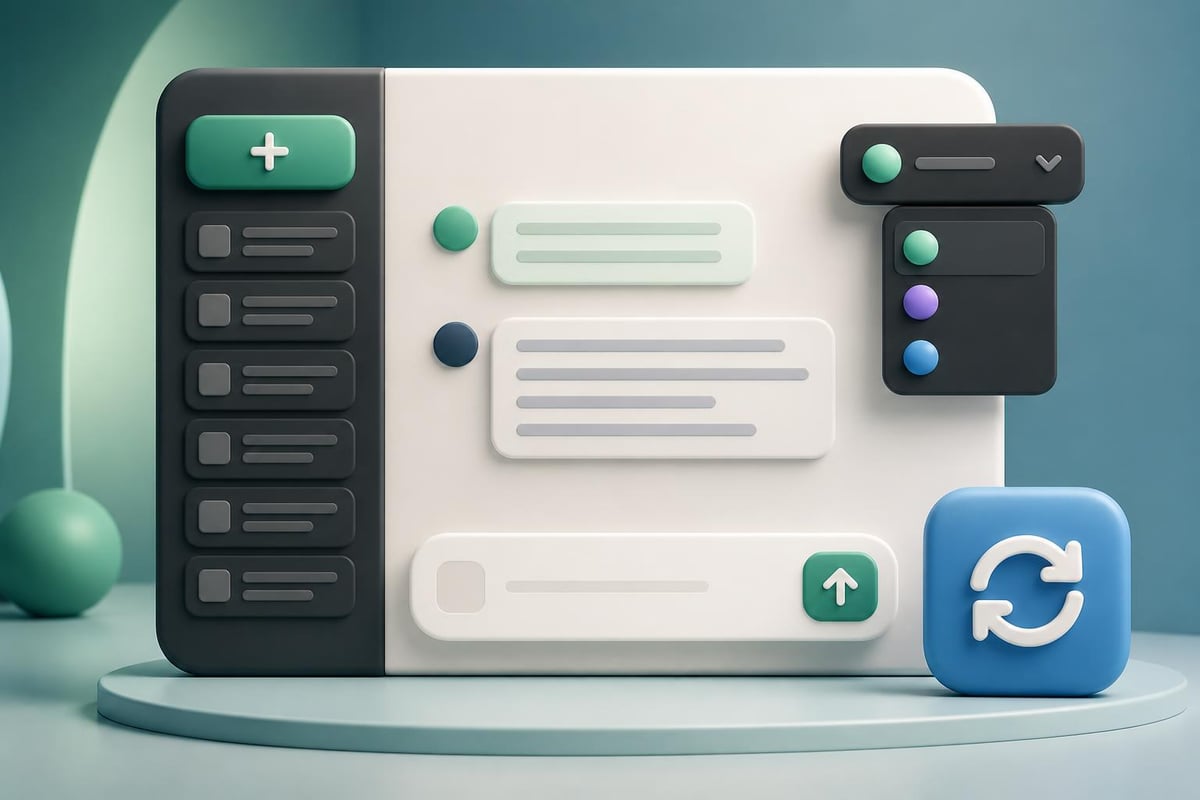
The interface is deliberately simple: a text input box at the bottom and your conversation history on the left sidebar. This clean ChatGPT interface design removes distractions and focuses your attention on the conversation itself.
Understanding the ChatGPT Interface
The main chat window displays your conversation in chronological order. Each exchange consists of your prompt (input) and ChatGPT's response (output). You can edit previous prompts by hovering over them and clicking the edit icon, which regenerates the conversation from that point forward.
Key interface elements include:
- Chat history sidebar: Access previous conversations organized by date
- New chat button: Start fresh conversations without context from previous chats
- Model selector: Switch between GPT-3.5 (free) and GPT-4 (Plus subscribers)
- Regenerate response: Get alternative answers to the same prompt
- Share conversation: Create links to share specific chat threads
Your conversation history persists across sessions, making it easy to return to previous work. However, remember that each chat thread is independent. ChatGPT doesn't remember information from other conversations unless you explicitly provide context.
Writing Effective Prompts
The quality of ChatGPT's output depends entirely on how you structure your input. A good prompt provides clear context, specific instructions, and desired output format. This tutorial chatgpt section focuses on the practical formula for getting useful results.
The Basic Prompt Structure
Start with three essential components: role, task, and format. Tell ChatGPT what perspective to take, what to accomplish, and how to present the information.
Role: "You are an experienced sales trainer…"
Task: "…create a script for handling price objections…"
Format: "…formatted as a conversation with three response options."
This structure works across virtually every use case. The more specific you make each component, the more targeted your results become.
Copy-Paste Prompt Examples
Here's a practical prompt for generating professional emails:
You are a business development professional writing to potential clients. Write a cold email introducing our AI training platform to HR managers at mid-sized companies. The email should be 150 words or less, focus on time savings and skill development, and include a clear call to action. Use a friendly but professional tone.
This prompt works because it specifies the audience (HR managers), constraints (150 words), key benefits (time savings, skill development), and tone. Compare this to "Write an email about AI training," which produces generic, unusable output.
For data analysis tasks, try this structure:
Analyze the following customer feedback data and identify the top 3 recurring complaints. For each complaint, suggest one specific improvement we could implement this quarter. Present your findings in a table with columns for Complaint, Frequency, and Recommended Action.

[Paste your data here]
The table format request ensures structured output you can immediately share with stakeholders.
Practical Tutorial ChatGPT Use Cases
Moving beyond theory, let's explore specific scenarios where ChatGPT delivers immediate value. These examples include exact prompts and real outputs you can adapt to your needs.
Creating Marketing Content
Marketing teams use ChatGPT to generate first drafts, brainstorm angles, and overcome writer's block. The key is treating it as a collaborator, not a replacement for human creativity.
Prompt for social media posts:
Create 5 LinkedIn post ideas about using AI for customer service automation. Each post should:
- Start with a hook question or surprising statistic
- Include 2-3 practical tips
- End with engagement question
- Be 100-150 words
- Use professional but conversational tone
Example output:
"Did you know 67% of customers prefer self-service over speaking to a representative? Here's how AI chatbots are transforming customer support:
- Route complex issues to humans while handling routine questions automatically
- Provide 24/7 availability without increasing headcount
- Analyze conversation patterns to identify common pain points
The best implementations combine AI efficiency with human empathy for issues requiring judgment or emotional intelligence.
Question for you: What's the biggest customer service challenge your team faces? Drop a comment below."
This output needs editing, but it provides a solid foundation in seconds rather than the 20-30 minutes typically required to draft from scratch.
Automating Routine Communications
Professional communication consumes hours each week. ChatGPT handles meeting summaries, status updates, and follow-up emails with consistent quality.
| Communication Type | Time Saved Per Instance | Best Use Case |
|---|---|---|
| Meeting summaries | 15-20 minutes | Convert notes to structured recap |
| Status reports | 10-15 minutes | Regular project updates |
| Follow-up emails | 5-10 minutes | Post-meeting action items |
| Calendar invites | 3-5 minutes | Detailed agenda creation |
Meeting summary prompt:
Convert these meeting notes into a professional summary email. Include: 1) Key decisions made, 2) Action items with owners, 3) Next meeting date. Format with clear headings and bullet points.

[Paste your raw notes here]
This approach transforms scattered notes into polished documentation without manual reformatting. Understanding how ChatGPT actually generates responses helps you appreciate why providing structured input produces better outputs.
Advanced Tutorial ChatGPT Techniques
Once you master basic prompts, these advanced strategies unlock significantly more value from your ChatGPT interactions.
Multi-Step Problem Solving
Complex problems require breaking tasks into sequential steps. ChatGPT excels at this when you guide the process explicitly.
For project planning, use this iterative approach:
- Initial brainstorm: "List 10 potential risks for launching a new product in Q3 2026"
- Prioritization: "Rank these risks by likelihood and impact. Explain your reasoning."
- Mitigation: "For the top 3 risks, create specific mitigation strategies"
- Documentation: "Format this analysis as a one-page executive summary"
Each step builds on previous outputs, creating increasingly refined results. This mirrors how you'd work with a human colleague but executes in minutes rather than hours.
Using System Messages for Consistency
When working on related tasks, establish consistent behavior through system messages. This tutorial chatgpt technique maintains voice and style across multiple outputs.
Start your conversation with:
For this entire conversation, you are a technical writer creating documentation for non-technical users. Use simple language, avoid jargon, include examples for every concept, and organize information with clear headings. Confirm you understand these guidelines.
ChatGPT will apply these constraints to every subsequent response until you start a new chat. This proves particularly valuable for content series, documentation projects, or any work requiring unified voice.
Reducing Hallucinations and Errors
ChatGPT sometimes generates plausible-sounding but incorrect information. Teaching ChatGPT to distrust its own certainty significantly improves accuracy.
Add this qualifier to prompts requiring factual accuracy:
Before answering, explicitly state your confidence level (high/medium/low) and identify any assumptions you're making. If you're uncertain about specific facts, say so clearly rather than guessing.
This prompt modification produces more honest outputs that flag uncertainty rather than presenting speculation as fact. For critical business decisions, always verify ChatGPT's suggestions against authoritative sources.
Integrating ChatGPT Into Daily Workflows
Real productivity gains come from embedding ChatGPT into your regular work patterns, not treating it as a separate tool you remember occasionally.
Morning Planning Session
Start each day with a 5-minute ChatGPT planning session:
Here are my top 5 tasks for today:
1. [Task description]
2. [Task description]
3. [Task description]
4. [Task description]
5. [Task description]

Suggest an optimal order based on energy levels (high energy morning tasks first), dependencies, and estimated time. Identify which tasks could be delegated or simplified.
This quick prioritization often reveals efficiency opportunities you'd miss when manually planning your day.
Research and Learning Acceleration
ChatGPT compresses research time by synthesizing information from its training data. While it can't replace primary source research, it accelerates initial exploration dramatically.
Research prompt structure:
I need to understand [topic] for [specific purpose]. Provide:
1. Core concepts I must know (3-5 items)
2. Common misconceptions or mistakes
3. Practical applications for [your industry/role]
4. Key questions I should investigate further

Keep explanations concise and actionable.
This generates a structured overview that guides deeper investigation. For those seeking to develop expertise systematically, programs like Mammoth Club’s AI certification courses provide comprehensive training across 3,000+ courses to build job-ready AI skills beyond what self-guided learning alone can achieve.


Common Tutorial ChatGPT Mistakes to Avoid
Even experienced users fall into predictable traps that limit ChatGPT's effectiveness. Recognizing these patterns helps you extract better value from every interaction.
Vague or Overly Broad Prompts
"Tell me about marketing" produces encyclopedia-style summaries with no actionable value. Instead, specify exactly what aspect matters for your current needs: "Explain the difference between content marketing and demand generation for B2B SaaS companies targeting enterprise clients."
Specificity transforms generic overviews into targeted insights you can immediately apply.
Ignoring Context Limitations
ChatGPT's knowledge cutoff means it doesn't know events after its training data ended. For current information about trends, statistics, or recent developments, explicitly note: "Based on principles that were established before 2024, suggest…" This frames expectations appropriately.
Additionally, ChatGPT has no memory between separate chat sessions. If you need continuity, either continue the same conversation or explicitly provide context when starting fresh threads.
Accepting First Outputs Without Iteration
The initial response is rarely the best possible output. Professionals who get exceptional results from ChatGPT consistently refine through follow-up prompts:
- "Make this more concise"
- "Adjust the tone to be more formal"
- "Add specific examples for each point"
- "Reorganize this with the most important information first"
This iterative refinement takes seconds but dramatically improves quality. Applying techniques from prompt engineering for ChatGPT helps structure these refinements systematically.
Measuring ChatGPT's Impact on Productivity
Quantifying time savings helps justify ChatGPT adoption across teams and identifies which use cases deliver the highest return.
Time Tracking Framework
Track these metrics for two weeks:
| Task Category | Time Before ChatGPT | Time With ChatGPT | Time Saved | Quality Rating (1-5) |
|---|---|---|---|---|
| Email writing | ||||
| Meeting prep | ||||
| Research | ||||
| Content drafts | ||||
| Data analysis |
This simple framework reveals where ChatGPT adds genuine value versus where traditional methods remain superior. Most professionals find 30-40% time savings on routine communication tasks with quality ratings of 4 or higher.
Quality Assessment Checklist
For each ChatGPT output you use, evaluate:
- Accuracy: Are facts correct and current?
- Relevance: Does it address your specific need?
- Completeness: Are important aspects covered?
- Tone: Does it match your intended voice?
- Efficiency: Did it save time versus manual creation?
Outputs scoring 4+ across all dimensions require minimal editing. Lower scores indicate opportunities to refine your prompting approach. Many professionals find that resources like the GeeksforGeeks ChatGPT tutorial provide additional perspectives on maximizing output quality.
Scaling ChatGPT Across Teams
Individual productivity gains multiply when entire teams adopt consistent ChatGPT practices. Strategic implementation requires coordination and shared standards.
Creating a Prompt Library
Document your most effective prompts in a shared repository organized by function:
- Sales: Cold outreach, objection handling, proposal summaries
- Marketing: Social posts, blog outlines, ad copy variations
- Operations: Process documentation, meeting summaries, status reports
- Customer success: Response templates, troubleshooting guides, onboarding sequences
Each entry should include the full prompt, typical use case, and sample output. This repository becomes institutional knowledge that new team members can leverage immediately.
Establishing Quality Standards
Define clear guidelines for when ChatGPT outputs need human review:
- Client-facing communications: Always review for tone and accuracy
- Financial or legal content: Require subject matter expert verification
- Technical documentation: Validate against actual system behavior
- Internal brainstorming: Use outputs as-is to maintain velocity
These standards prevent quality issues while preserving efficiency gains on low-risk tasks.
Training and Skill Development
ChatGPT proficiency develops through practice and exposure to diverse use cases. Schedule monthly team sessions where members share:
- Most valuable prompts discovered
- Surprising use cases that worked well
- Failures and lessons learned
- Time saved metrics from the previous month
This peer learning accelerates skill development across the organization. Exploring techniques like applying Dale Carnegie’s communication principles to ChatGPT interactions can enhance team-wide effectiveness with AI tools.
Security and Privacy Considerations
Business use of ChatGPT requires careful attention to data protection and confidentiality. Establish clear protocols before widespread adoption.
Data Input Guidelines
Never paste into ChatGPT:
- Customer personal information: Names, emails, addresses, phone numbers
- Proprietary business data: Financial projections, strategic plans, unreleased products
- Confidential documents: Contracts, NDAs, internal communications
- Sensitive credentials: Passwords, API keys, access tokens
Instead, use sanitized examples or generic placeholders that preserve the structure you need without exposing protected information.
Enterprise ChatGPT Options
For organizations requiring data guarantees, OpenAI offers enterprise agreements with:
- No training on your data
- SOC 2 compliance
- SSO and advanced admin controls
- Dedicated support and uptime guarantees
These paid tiers cost significantly more than individual subscriptions but provide necessary protections for regulated industries or sensitive business applications.
Troubleshooting Common Issues
Even with solid prompting skills, you'll occasionally encounter frustrating ChatGPT behaviors. These solutions address the most frequent problems.
When Outputs Feel Generic
Generic responses indicate insufficient context or constraints in your prompt. Add specificity:
- Before: "Write a product description"
- After: "Write a 100-word product description for noise-cancelling headphones targeting remote workers, emphasizing focus and comfort for 8+ hour wear. Use conversational but professional tone."
The additional constraints force ChatGPT to generate targeted rather than template content.
When ChatGPT Misunderstands Your Request
Rather than starting over, clarify with a follow-up prompt:
"That's not quite what I need. I'm looking for [specific aspect], not [what it provided]. Try again focusing specifically on [desired element]."
This corrective feedback guides ChatGPT toward your actual intent without losing the conversation context.
When Responses Are Too Long or Too Short
Explicitly specify length requirements:
- "Explain in exactly 3 bullet points"
- "Write a 250-word summary"
- "Give me a one-sentence answer"
ChatGPT responds well to precise length constraints and will adjust its verbosity accordingly.
Building ChatGPT Skills Progressively
Mastering this tutorial chatgpt content takes practice. Focus on progressive skill development rather than attempting everything simultaneously.
Week 1: Basic Prompting
Concentrate on simple, single-step tasks:
- Rewrite emails for clarity
- Generate meeting agendas from topics
- Summarize articles or documents
- Brainstorm ideas for projects
These foundational skills build confidence and demonstrate immediate value.
Week 2-3: Structured Outputs
Progress to prompts requiring specific formats:
- Create tables comparing options
- Generate step-by-step instructions
- Produce templates for recurring tasks
- Format data for presentations
Format control significantly increases the usability of ChatGPT outputs in professional contexts.
Week 4+: Complex Workflows
Combine techniques into multi-step processes:
- Research → Analysis → Recommendations
- Data input → Processing → Visualization instructions
- Problem statement → Solution options → Implementation plan
These advanced applications deliver the highest productivity gains but require solid foundational skills from earlier weeks.
For comprehensive AI skill development beyond ChatGPT basics, resources like Prompt Hero.Ai provide step-by-step tutorials with copy-paste prompts designed specifically for business applications. Each guide focuses on solving real professional problems with immediately actionable instructions.
This tutorial chatgpt guide provides the foundation for transforming ChatGPT from an interesting novelty into a daily productivity tool that saves hours each week. The key is consistent practice with increasingly sophisticated prompts tailored to your specific work challenges. Whether you're automating routine communications, accelerating research, or generating creative content, ChatGPT becomes more valuable as you develop the skill to communicate your needs precisely. Ready to take your AI skills further? Prompt Hero.Ai offers practical tutorials and ready-to-use prompts designed for professionals who want to automate tasks, boost productivity, and solve real business problems with AI tools like ChatGPT and Claude.