
An AI prompting template is a reusable prompt with fixed instructions and blank placeholders, so you fill in the details of a task instead of writing a new prompt each time. The most dependable structure has five parts: role, task, context, format, and constraints. Once you have that frame, you can adapt it to emails, reports, meeting notes, research, and analysis in ChatGPT, Claude, or any similar tool.
This guide gives you the master template, explains why each part exists, and then provides copy-paste prompts for common work tasks. You will also learn how to test, version, and store templates so they keep working as your needs change.
What Is an AI Prompting Template and Why Use One?
An AI prompting template is a pre-written prompt with placeholders for the details that change, such as audience, source text, or tone. It turns a one-off request into a repeatable process.
The case for templates is practical. Most weak AI output comes from missing information, not from a weak model. When you type a quick request, you leave out the audience, the length, the format, and the goal, and the model fills those gaps with guesses. A template forces you to supply them every time.
Templates also help in three other ways:
- Consistency. Two people on a team using the same template get outputs with the same structure and voice.
- Speed. You stop rewriting the same instructions and only fill in the blanks.
- Improvement over time. When a prompt is saved, you can refine it after each use instead of starting over.
Shared templates are one low-cost way to help teams reuse a method that already works, rather than each person starting from scratch.
What Goes Into a Good Prompt Template?
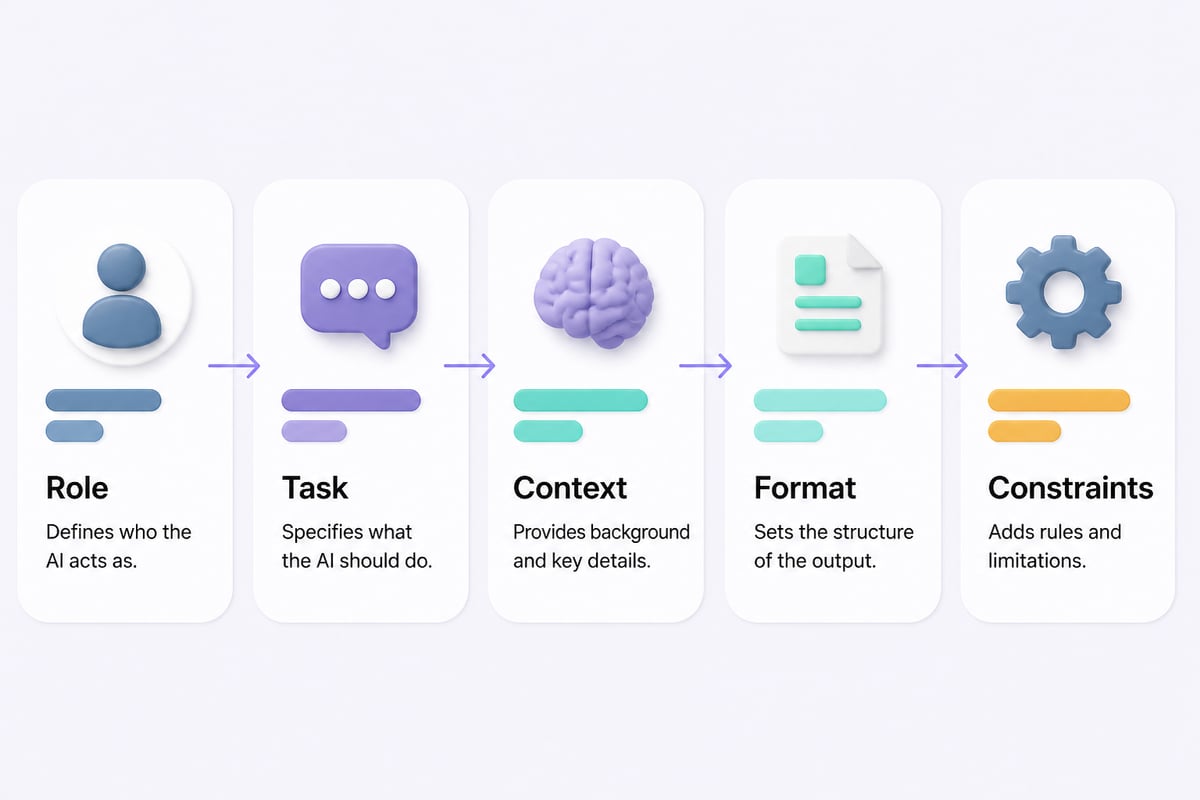
A good template answers five questions: who the AI should act as, what it should do, what it needs to know, what the output should look like, and what to avoid.
Specifying the desired context, outcome, length, format, and style makes prompts more precise. Those items map directly onto the five parts below.
| Part | Question it answers | Example |
|---|---|---|
| Role | Who is the AI acting as? | "You are a senior operations manager." |
| Task | What exactly should it do? | "Summarize the notes into action items." |
| Context | What background does it need? | "The audience is the finance team; the project is delayed by two weeks." |
| Format | What shape should the output take? | "A table with owner, task, and due date." |
| Constraints | What limits apply? | "Under 150 words. No jargon. Do not invent dates." |
Two structural habits improve results further. Putting instructions at the beginning of the prompt and separating them from context with delimiters such as ### or triple quotes is recommended. That prevents the model from confusing your pasted text with your instructions, which matters when you paste long emails or reports.
The Master AI Prompting Template (Copy and Paste)
This master template covers most work tasks. Copy it, keep the structure, and replace the bracketed placeholders.
ROLE
You are a [job title or expertise] with experience in [industry or domain].

TASK
[One clear action verb] the material below. The goal is to [business outcome].

CONTEXT
Audience: [who will read or use this]
Background: [2-3 sentences on the situation]
Tone: [formal / friendly / direct / persuasive]

FORMAT
Return the result as [bullet list / table / email / numbered steps].
Length: [word or sentence limit].

CONSTRAINTS
- Use only the information provided. If something is missing, ask me before guessing.
- Avoid [jargon, buzzwords, specific phrases].
- [Any compliance or brand rule].

MATERIAL
###
[Paste your text, data, or notes here]
###
Two lines in this template do a lot of work. "Ask me before guessing" reduces invented details, and the ### block keeps your source material separate from the instructions.
If you want a structured path from basics to advanced technique, the AI prompting course at Prompt Hero.Ai walks through this kind of structure with exercises.
How Do You Fill In and Adapt a Template?
You fill in a template by replacing each placeholder with specific details, running it once, and then adjusting the weakest part based on what comes back.
Follow these steps:
- Copy the template into a blank chat or document.
- Replace every bracket. Vague placeholders like "[audience]" produce vague results, so write "regional sales managers who skim on mobile" instead.
- Paste your source material inside the delimiters.
- Run it and read the output critically. Check facts, tone, and length against your intent.
- Adjust one variable at a time. If the tone is off, change only the tone line. Changing several things at once hides what worked.
- Save the version that worked with a short note on what it is for.
Clear, specific instructions and iterative refinement are central to prompting well. Iteration is the point of a template: the first run is a draft, and each edit makes the next run better.
Copy-Paste Prompt Templates for Everyday Work Tasks
Each template below follows the master structure in a shorter form. Replace the brackets and paste your material at the end.
Email reply
You are an experienced account manager. Write a reply to the email below.
Goal: [resolve the issue / confirm the meeting / decline politely].
Tone: [warm but professional]. Length: under 120 words.
Include one clear next step with a date if I gave one. Do not promise anything I did not state.
###
[Paste the email]
###
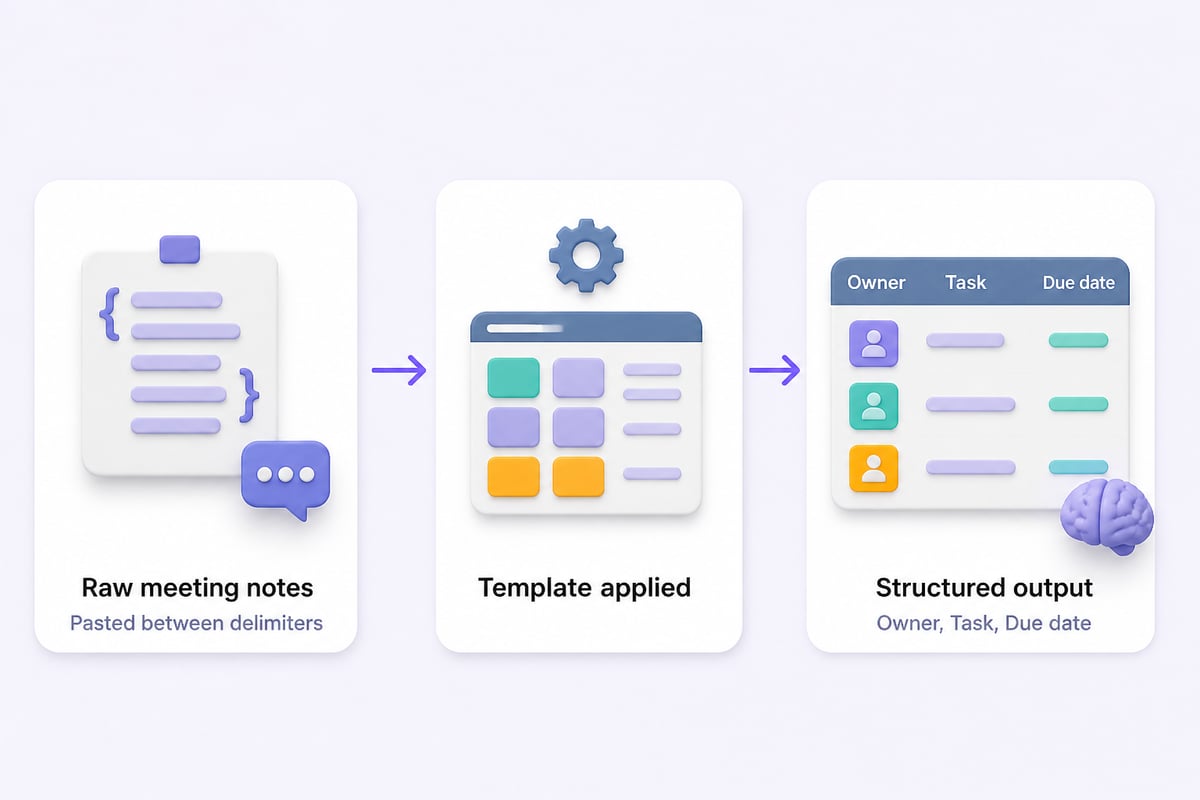
Meeting notes to action items
You are a project coordinator. Turn the notes below into action items.
Format: a table with columns Owner, Task, Due date, Status.
If an owner or date is missing, write "Unassigned" or "TBD" instead of guessing.
Then add a 3-bullet summary of decisions made.
###
[Paste the notes or transcript]
###
Report or document summary
You are a business analyst writing for [executive audience].
Summarize the document below in 5 bullets, then list 3 risks and 3 open questions.
Use plain language. Quote figures exactly as written.
###
[Paste the text]
###
Customer feedback analysis
You are a customer insights analyst. Review the feedback below.
Group comments into themes, count how many comments fall under each, and give one representative quote per theme.
Then recommend the top 2 changes, with reasoning.
###
[Paste the comments]
###
Proposal or brief outline
You are a [consultant / marketing lead]. Draft an outline for a [proposal / project brief] for [client or team].
Include: objective, scope, deliverables, timeline, and risks.
Audience knowledge level: [beginner / expert]. Keep each section to 2-3 sentences.
Ask me up to 3 clarifying questions first if anything important is missing.
When Should You Add Examples to a Template?
Add examples when the format or style of the output matters and plain instructions keep producing something slightly off. Examples can help communicate the desired output format and make results easier to parse consistently.
The practical approach is to start simple. Starting with zero-shot prompting, then trying few-shot prompting if needed, is a sound approach. Zero-shot means no examples; few-shot means you include one to three samples.
Here is a few-shot addition to the customer feedback template:
Format each theme like this example:
Theme: Slow onboarding | Mentions: 7 | Quote: "It took us three weeks to get set up." | Suggested fix: Add a guided setup checklist.
One or two examples are usually enough. More than that tends to make the model copy the examples too closely, so vary them if you include several.
How Do You Test and Version Your Templates?
You test a template by running it on three to five different real inputs, scoring the outputs against a short checklist, and recording changes as numbered versions.
A template that works on one clean sample can fail on messy real material. A lightweight test routine looks like this:
- Pick varied inputs: one short, one long, one messy, one with missing information.
- Score each output on accuracy, format match, tone, and length (pass or fail is enough).
- Log the result next to the template version, for example "v3: fixed table format, added 'ask before guessing'."
- Re-test after every edit, since a fix for tone can quietly break format.
OpenAI's developer guide on prompt engineering discusses instruction hierarchy, examples, context, and prompt versioning for teams building repeatable workflows. Even if you never touch an API, the habit of versioning applies: keep the old version until the new one clearly beats it.
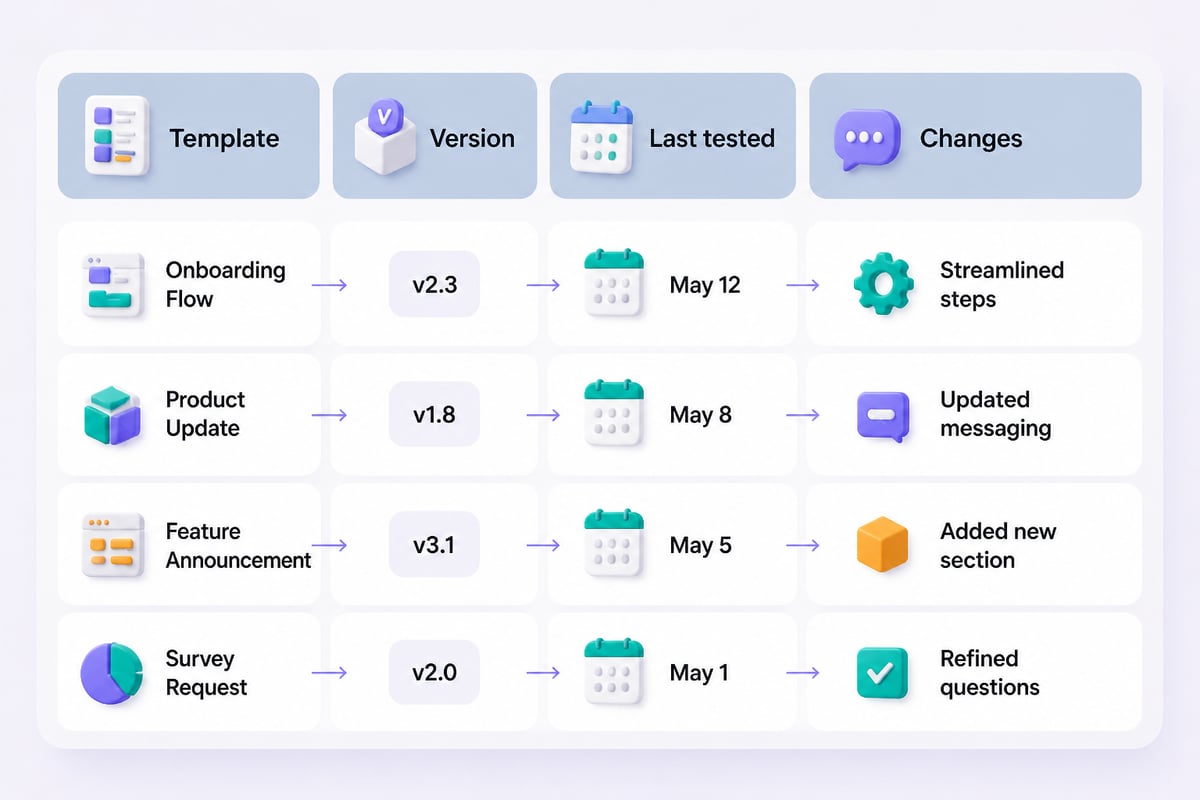
A simple storage layout helps. Keep one document or spreadsheet with columns for template name, purpose, version, last tested date, and the full prompt text. Group by function, such as sales, operations, and HR, so teammates find what they need quickly.
What Mistakes Make Prompt Templates Fail?
Templates fail most often because of vague placeholders, overstuffed instructions, and unchecked output. Watch for these:
- Vague fill-ins. "Write a professional email" gives the model nothing to aim at. Name the audience, goal, and length.
- Too many tasks in one prompt. A single template that summarizes, critiques, rewrites, and translates usually does each step worse. Split it into a chain of two or three templates.
- No instruction for missing data. Without a rule such as "say 'not provided' if absent," models may fill gaps with plausible fiction.
- Sensitive data pasted without a policy. Check your organization's rules before pasting client, financial, or personal information into any tool.
- Treating output as final. Templates raise the floor on quality, but a human still verifies numbers, names, and claims.
One more point that gets less attention than it deserves: write a "definition of done" into the prompt. A line like "The output is acceptable if a busy executive could act on it without reading the source" gives the model a target and gives you a test for reviewing the result.
Do the Same Templates Work in ChatGPT, Claude, and Workspace Tools?
Yes, the five-part structure carries across ChatGPT, Claude, and other assistants, though small adjustments can improve results in each.
Models differ in how they handle long pasted documents, formatting, and follow-up questions, so run your key templates on the tool you actually use. If your company works inside Google's ecosystem, Google Workspace's guidance on generative AI at work offers a platform-specific companion to general templates like the ones above.
For people who want structured learning on tools like ChatGPT and Claude, Mammoth Club offers AI certification and training courses that complement practicing with templates.

How Do You Build Your Own Template Library?
You build a library by saving every prompt that earns a second use, then grouping and labeling it so others can find it.
Start small and let the library grow from real work:
- List your five most repeated tasks this month, such as client emails, weekly updates, or research summaries.
- Turn each into a template using the master structure.
- Test and version using the routine above.
- Group by function and add a one-line "use this when" description to each entry.
- Review quarterly. Retire templates nobody uses and update ones that drift as tools or policies change.
If you want to go further into techniques such as chaining, role design, and evaluation, Prompt Hero.Ai's tutorials on AI prompting cover these topics in more depth.
Key Takeaways
- A reusable prompt has five parts: role, task, context, format, and constraints.
- Put instructions first and wrap pasted material in delimiters.
- Start without examples, then add one to three if the format keeps drifting.
- Tell the model what to do when information is missing.
- Test on varied inputs, change one variable at a time, and keep version notes.
FAQ
What is the best AI prompting template for beginners?
The master template in this guide is a good starting point because it covers role, task, context, format, and constraints in one place. Use it for a week on real tasks, then trim the parts you never fill in.
How long should a prompt template be?
Long enough to remove guesswork, short enough to fill in quickly. Most work templates run between 60 and 200 words before your pasted material. If a template needs more, split it into two chained prompts.
Can I use the same template in ChatGPT and Claude?
Generally yes. The structure transfers, but outputs differ in style and handling of long text, so test each template on the tool you use.
Should I include examples in every template?
No. Start with instructions only and add one to three examples if the output format or style is inconsistent.
How do I stop the AI from making things up?
Tell it to use only the provided material, to say "not provided" when information is absent, and to ask clarifying questions before guessing. Then verify figures and names yourself.
How often should I update my templates?
Review them every few months, or sooner when a tool update, new policy, or repeated bad output suggests a change.
Pick one task you repeat every week, paste the master template into a chat, fill it in, and save the version that produces a result you would send. If you want ready-made prompts and step-by-step walkthroughs for ChatGPT and Claude, Prompt Hero.Ai publishes practical tutorials with copy-and-paste prompts and real examples built for professionals, and Mammoth Club is there if you want certification-focused training. Start with the tutorials, build your first five templates, and refine them as you go.