
Every professional using ChatGPT or Claude has experienced this: you ask the AI a question, get a mediocre response, then spend ten minutes rewording your request. The problem isn't the AI tool. It's the prompt. Learning ai prompting transforms generic outputs into precisely what you need, whether you're drafting emails, analyzing data, or creating content. This tutorial teaches you the exact techniques that produce better results every time.
Why AI Prompting Matters for Your Work
Think of ai prompting as giving instructions to a highly capable assistant who follows directions literally. Vague requests produce vague results. Specific, structured prompts generate outputs you can actually use.
The difference shows immediately:
- Generic prompt: "Write an email to a client"
- Structured prompt: "Write a 150-word follow-up email to a potential client who attended our product demo yesterday. Mention the specific inventory management feature they asked about. Professional but warm tone. Include a calendar link for next steps."
The second approach gets you closer to a finished product on the first try. According to prompt engineering best practices from TechTarget, clarity and specificity directly impact AI model performance.
What Makes a Prompt Effective
Effective prompts contain four core elements: context, task, format, and constraints. Context explains the situation. Task defines what you need. Format specifies how you want it delivered. Constraints set boundaries like length, tone, or style.
Most people skip straight to the task without providing context or format preferences. This forces the AI to guess, reducing output quality.

The Step-by-Step Framework for Better Prompts
Start every prompt by establishing who, what, and why. This three-part foundation gives AI tools the information they need to generate relevant responses.
Step 1: Set the Context
Tell the AI what it needs to know about your situation. Include relevant background, your role, and the purpose of the request.
Example context statements:
- "I'm a sales manager preparing for a quarterly review with my team"
- "Our company sells project management software to construction firms"
- "This email goes to existing customers who haven't logged in for 30 days"
Context transforms generic outputs into situationally appropriate responses. For guidance on writing effective prompts with proper context, review these best practices from Lafayette College.
Step 2: Define the Task Clearly
State exactly what you need. Use action verbs: write, analyze, summarize, create, compare, extract, rewrite.
Avoid: "Help me with a presentation"
Use: "Create a five-slide outline for a 10-minute presentation explaining our new pricing model to existing customers"
The more specific your task definition, the better your results. Research from TechRadar shows that specific prompts outperform generic "act as an expert" instructions.
Step 3: Specify the Format
Tell the AI how to structure the output. Request bullet points, numbered lists, tables, paragraphs, or specific sections.
| Format Type | When to Use | Example Request |
|---|---|---|
| Bullet points | Quick reference lists | "Provide as bullet points" |
| Numbered steps | Processes or procedures | "Create numbered steps" |
| Table | Comparisons or data | "Format as a table with three columns" |
| Paragraphs | Detailed explanations | "Write in three short paragraphs" |
| Professional communication | "Format as a business email" |
Step 4: Add Constraints
Set boundaries for length, tone, audience, or style. Constraints prevent rambling outputs and ensure appropriate language.
Common constraints:
- Length: "Keep under 200 words" or "Write exactly 5 bullet points"
- Tone: "Professional and direct" or "Friendly but authoritative"
- Audience: "Written for non-technical executives" or "Aimed at experienced developers"
- Exclusions: "Don't include pricing information" or "Avoid technical jargon"
Copy-Paste Prompts for Common Business Tasks
These templates work with ChatGPT, Claude, or similar AI tools. Replace bracketed sections with your specific information.
Prompt 1: Writing Follow-Up Emails
You are helping me write a follow-up email. Context: I'm [your role] at [company type]. I met [recipient] at [event/meeting] where we discussed [topic]. Task: Write a 150-word follow-up email that references [specific discussion point], offers [specific value/resource], and suggests [next step]. Format: Standard business email with subject line. Tone: Professional but personable. Include a clear call-to-action.
Example output:
Subject: Great Meeting You at the Tech Conference
Hi Jennifer,
I enjoyed our conversation about inventory automation challenges at yesterday's conference. You mentioned the difficulty of tracking stock across multiple warehouses in real-time.
I thought you might find our recent case study helpful. We worked with a distributor similar to your operation who reduced stock discrepancies by 47% using automated tracking. I've attached the PDF.
Would you be open to a 20-minute call next week? I can show you specifically how the system handles multi-location inventory and answer any questions about implementation.
Best regards,
Michael
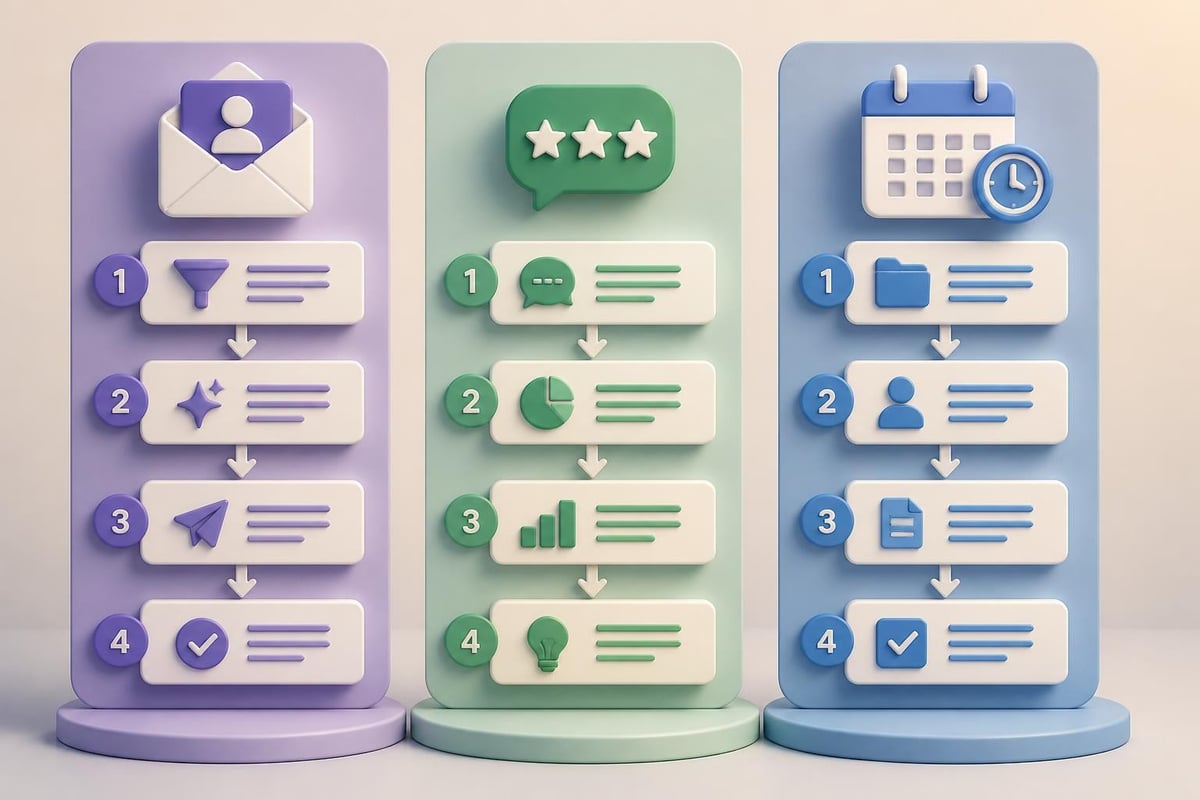
Prompt 2: Analyzing Customer Feedback
Context: I have [number] customer survey responses about [product/service]. Task: Analyze the feedback below and identify the top 3 positive themes and top 3 concerns. Format: Two sections with bullet points for each theme/concern, followed by a brief paragraph recommending one priority action. Tone: Analytical and actionable.

[Paste customer feedback here]
Prompt 3: Creating Meeting Agendas
You are helping me prepare for a meeting. Context: I'm leading a [meeting type] with [attendees/roles] to [meeting purpose]. Task: Create a meeting agenda for a [duration] meeting that covers [topic 1], [topic 2], and [topic 3]. Format: Time-blocked agenda with estimated minutes for each item. Include sections for opening, main topics, and closing actions. Keep total time to exactly [duration] minutes.
Advanced Techniques That Improve Results
Once you master basic structure, these techniques refine your outputs further.
Use Examples in Your Prompts
Show the AI what you want by including examples. This works exceptionally well for matching specific styles or formats.
Before: "Write a product description"
After: "Write a product description similar to this example: [paste example]. Match the tone, length, and structure."
Providing examples gives the AI a concrete template to follow. At Prompt Hero.Ai, many tutorials demonstrate how examples improve consistency across outputs.
Chain Prompts for Complex Tasks
Break complicated requests into sequential prompts. Each prompt builds on the previous output.
Prompt sequence for content creation:
- "Generate 10 headline options for an article about [topic] aimed at [audience]"
- "Using headline #3, create a detailed outline with 5 main sections"
- "Write the introduction section following this outline: [paste outline]"
- "Continue with section 2…"
Chaining produces better results than asking for everything at once. You maintain control at each stage and can adjust direction as needed.
Iterate and Refine
Your first prompt rarely produces a perfect result. Plan to refine through follow-up instructions.
Effective refinement prompts:
- "Make this more concise, under 100 words"
- "Rewrite with a more casual tone"
- "Add specific examples for each point"
- "Remove the technical jargon and simplify"
Iteration feels slower initially but saves time compared to starting over. Each refinement teaches you what works for your specific use cases.
Real-World Application: Cold Outreach Email
Let's apply the complete framework to create a cold outreach email for a B2B service.
Complete structured prompt:
Context: I'm a business development manager at a company that provides cybersecurity training for financial services firms. I'm reaching out to the Head of IT Security at a mid-sized investment firm I found on LinkedIn. We haven't met or communicated before.

Task: Write a cold outreach email that introduces our service, references a recent data breach in the financial services industry (don't name specific companies), and offers a free 30-minute security assessment.

Format: Professional email with subject line. Three short paragraphs maximum.

Constraints:
- Total length: 120-150 words including greeting and signature
- Tone: Respectful and value-focused, not salesy
- Include one specific benefit relevant to investment firms
- End with a low-pressure call-to-action
- Do not include pricing or detailed service descriptions
AI output:
Subject: Quick Security Assessment for [Company Name]
Hi David,
Recent data breaches across financial services have highlighted the human element in security vulnerabilities. While firms invest heavily in technology, employee awareness often remains the weakest link.
We help investment firms strengthen their security culture through practical, role-specific training. Our clients typically see a 60% reduction in phishing susceptibility within 90 days.
I'd like to offer a complimentary 30-minute security assessment focused specifically on your team's current awareness gaps. No obligation, just actionable insights.
Would next Tuesday or Wednesday work for a brief call?
Best,
Sarah Mitchell
This output required minimal editing because the prompt contained specific context, clear constraints, and format requirements.
Why This Prompt Works
The structured approach eliminates guesswork. The AI knows the sender's role, recipient's position, communication purpose, and exact constraints. Notice how the tone constraint ("respectful and value-focused, not salesy") directly influenced the language choices.
Compare this to "Write a cold email for cybersecurity training" and you'll immediately see the difference ai prompting makes in output quality.
Avoiding Common Prompting Mistakes
Even experienced users make these errors that degrade output quality.
Mistake 1: Overloading One Prompt
Asking for too many things simultaneously produces superficial results. Instead of "Write a business plan with financial projections, marketing strategy, and competitive analysis," split into separate focused prompts.
Mistake 2: Assuming Context
Don't expect the AI to know your industry, company, or situation. Spell out what might seem obvious. "Our company" means nothing. "Our company, a 50-person B2B SaaS firm selling HR software to manufacturing companies" gives useful context.
Mistake 3: Vague Success Criteria
"Make it better" doesn't help. Specify what "better" means: shorter, more formal, more detailed, different structure, stronger call-to-action.
| Vague Instruction | Specific Alternative |
|---|---|
| "Improve this" | "Reduce by 30% while keeping all main points" |
| "Make it professional" | "Use formal business language, remove contractions" |
| "Add more detail" | "Add one specific example for each of the 4 benefits" |
| "Change the tone" | "Rewrite for a skeptical CFO audience, emphasize ROI" |
Mistake 4: Ignoring the Output
Read what the AI generates. If it's off-target, your prompt needs adjustment. Don't blame the tool. Refine your instructions based on what you received versus what you wanted.

Building Your Prompt Library
Save successful prompts for reuse. Create a document with templates for your most common tasks.
Categories to organize:
- Email templates (follow-ups, introductions, requests)
- Content creation (outlines, social posts, articles)
- Analysis (data review, feedback summary, comparison)
- Planning (agendas, project plans, timelines)
- Research (summary, key points extraction, topic exploration)
Each saved prompt becomes faster to deploy than creating from scratch. Modify the bracketed sections for new situations while keeping the proven structure.
Professionals who build prompt libraries report 40-60% time savings on routine AI-assisted tasks. The investment in ai prompting skills compounds quickly.
Measuring Prompt Effectiveness
Track which prompts produce usable first-draft outputs versus those requiring significant editing. This feedback loop improves your prompting skills faster than trial and error alone.
Simple tracking method:
- Rate each output: immediately usable, minor edits needed, major revision required, or unusable
- Note which prompt elements worked (specific context, clear format, etc.)
- Identify patterns in successful versus unsuccessful prompts
- Refine your templates based on evidence
Many professionals find that structured ai prompting reduces editing time by 50% or more compared to vague requests. For those looking to systematically develop these skills, Mammoth Club’s AI certification training offers comprehensive courses on prompt engineering alongside broader AI tool mastery for business applications.
Domain-Specific Prompting Tips
Different fields benefit from specialized approaches to ai prompting.
For Marketing Professionals
Always specify target audience demographics, awareness level, and desired action. Include brand voice guidelines and competitive positioning context.
For Technical Teams
Provide system specifications, technical constraints, and intended users. Request specific documentation formats or code comment styles.
For Sales Professionals
Include prospect information, sales stage, previous interactions, and specific objections to address. Specify relationship dynamics (cold outreach, existing client, renewal conversation).
For Customer Support
Provide customer history, issue details, company policies, and tone requirements. Specify whether the response should educate, apologize, or solve technically.
According to research on creative ai prompting, domain-specific prompt development represents a learnable skill that improves with deliberate practice and feedback.
Adapting Prompts Across AI Tools
The fundamental principles of ai prompting work across ChatGPT, Claude, and similar tools, but each has characteristics worth considering.
ChatGPT tends to provide comprehensive responses and works well with conversational refinement. Claude often delivers more concise outputs and handles nuanced tone requests effectively. Both respond well to structured prompts with clear context and constraints.
Test your key prompts across different tools to find which delivers better results for specific use cases. Some professionals use ChatGPT for brainstorming and Claude for polished final outputs.
Practice Exercise: Build Your First Structured Prompt
Choose a task you regularly perform: writing status updates, summarizing meetings, creating project timelines, drafting client communications, or analyzing reports.
Follow these steps:
- Write down the context someone would need to understand your situation
- Define the specific task in one clear sentence
- Specify your preferred format (bullets, paragraphs, table, etc.)
- List 3-4 constraints (length, tone, audience, exclusions)
- Combine these into a complete prompt following the framework
Test your prompt. If the output misses the mark, identify which element needs refinement. Adjust and test again. For more structured learning on practical AI techniques, explore the tutorials at Prompt Hero.Ai that break down real-world applications.
This hands-on approach builds ai prompting skills faster than reading alone. Each iteration teaches you how AI tools interpret different instruction types.
When to Use Simple vs. Complex Prompts
Not every request requires elaborate structure. Quick factual questions work fine with simple prompts: "What's the average email open rate for B2B companies?" or "List 5 project management tools under $15/month."
Reserve structured ai prompting for:
- Creative content generation
- Tone-sensitive communication
- Format-specific outputs
- Context-dependent analysis
- Multi-step processes
The complexity of your prompt should match the complexity and importance of your desired output. Routine information retrieval needs minimal structure. Business-critical communications deserve detailed prompts.
Troubleshooting Poor Outputs
When results disappoint, diagnose the issue systematically.
Common problems and fixes:
- Too generic: Add specific context about your situation, industry, or audience
- Wrong tone: Explicitly state the desired tone with examples (formal, conversational, authoritative, friendly)
- Too long/short: Specify exact word count or number of items
- Missing key points: List required elements or topics to cover
- Wrong format: Describe the structure you want in detail
Most poor outputs trace to ambiguous instructions rather than AI limitations. Improving your prompt almost always improves the result.
Resources like Tom’s Guide on writing effective AI prompts emphasize iterative refinement as the path to better outputs. Each adjustment teaches you how to communicate requirements more clearly.
Mastering ai prompting transforms AI tools from interesting experiments into practical productivity multipliers for your daily work. The structured approach outlined here-context, task, format, constraints-gives you a reliable framework that produces better results consistently. Whether you're drafting emails, analyzing data, or creating content, specific and well-structured prompts cut editing time dramatically while improving output quality. Ready to develop these skills systematically with step-by-step tutorials and ready-to-use prompts? Prompt Hero.Ai provides practical guidance designed specifically for professionals who want to get real work done with AI tools.