
Building a chatbot doesn't require advanced programming skills. With AIML (Artificial Intelligence Markup Language), you can create intelligent conversational agents using simple XML-based syntax. This aiml tutorial walks you through everything from basic concepts to building a functional chatbot that responds to user queries naturally and contextually.
What AIML Is and Why It Matters
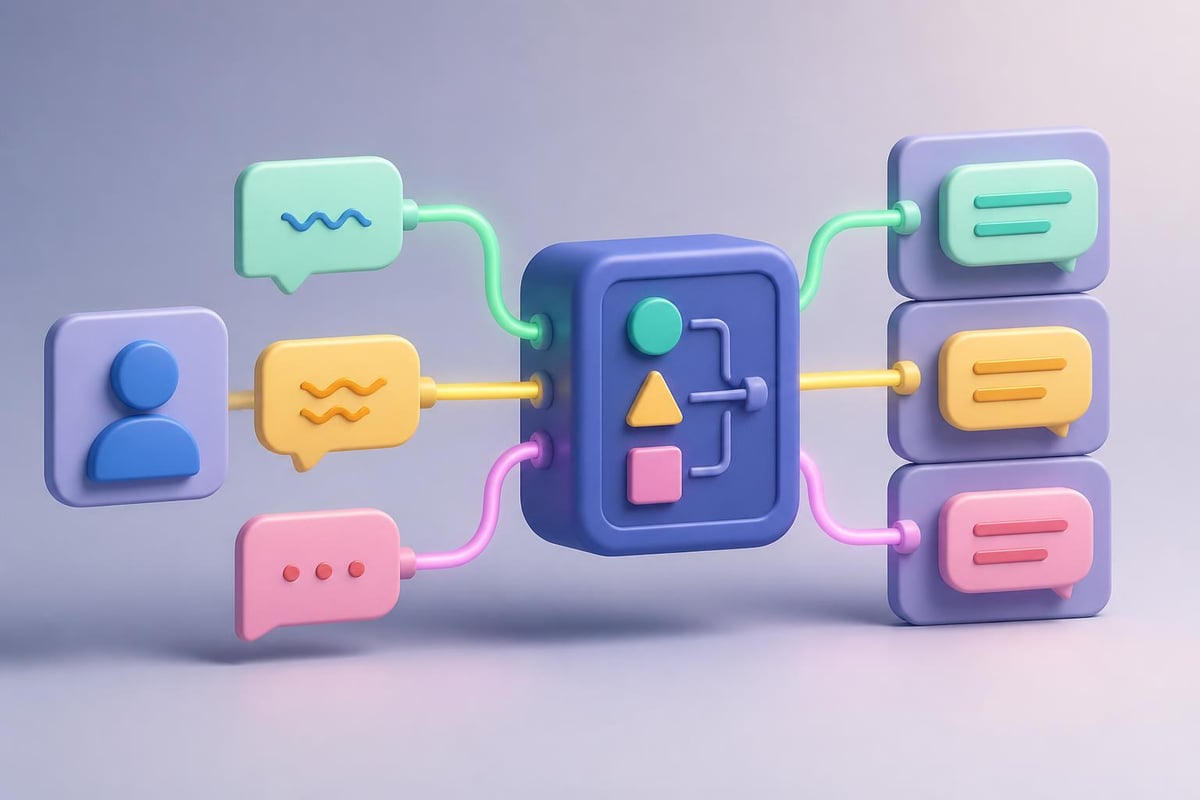
AIML is an XML-based markup language designed specifically for creating chatbots and conversational AI. Developed by Dr. Richard Wallace in the late 1990s, it powers chatbots like A.L.I.C.E. (Artificial Linguistic Internet Computer Entity), which won the Loebner Prize multiple times.
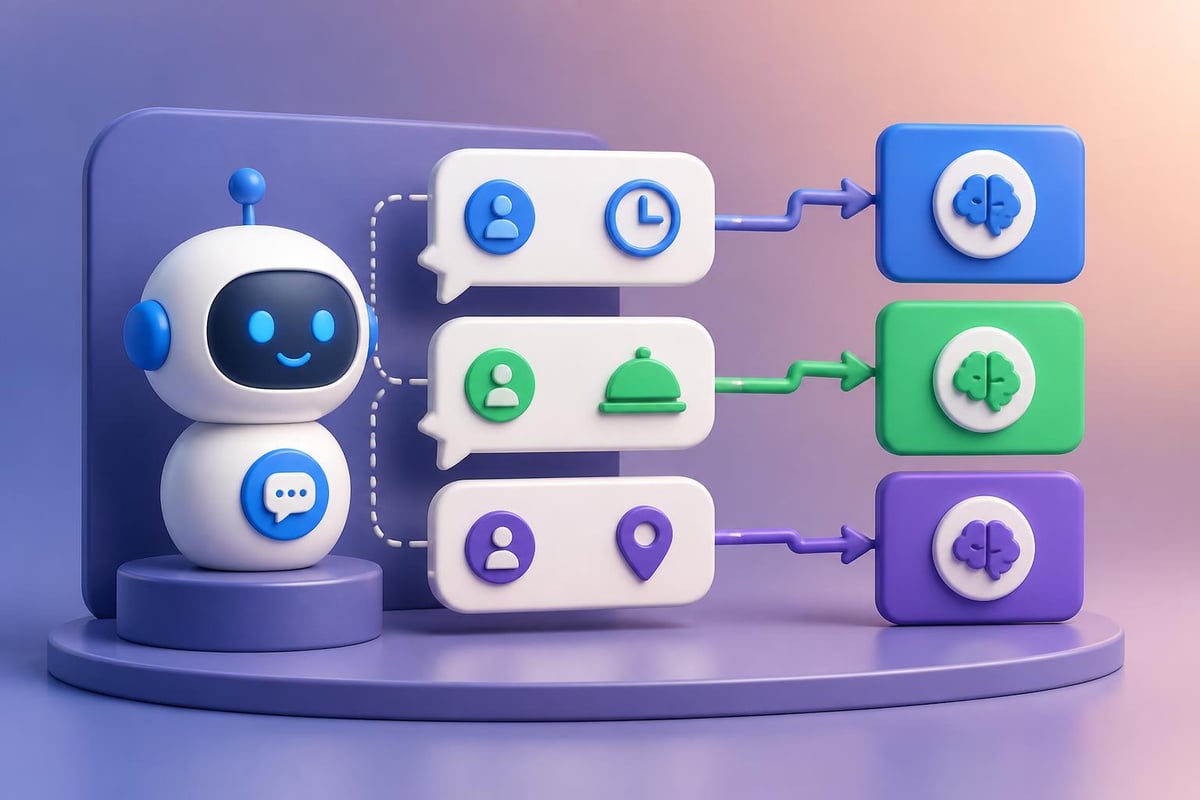
AIML works differently from modern AI models like ChatGPT. Instead of using machine learning, it relies on pattern matching and template-based responses. This makes it predictable, fast, and perfect for rule-based conversations.
Key advantages include:
- Full control over bot responses
- No training data required
- Instant deployment without GPU resources
- Privacy-focused since data stays local
- Lightweight and runs on minimal hardware
The language has evolved significantly, and understanding AIML’s structure and history helps you appreciate its continued relevance in specific use cases like customer support, FAQ automation, and educational applications.
Setting Up Your AIML Environment
Before diving into your first aiml tutorial project, you need a working environment. The setup is straightforward and works on Windows, Mac, or Linux.
Required Tools
You'll need three components:
- Python (version 3.7 or higher)
- Python AIML library (pyAIML)
- Text editor (VS Code, Sublime, or even Notepad++)
Install Python from python.org if you haven't already. Then open your terminal or command prompt and install the AIML library:
pip install python-aiml
This single command downloads and configures everything you need to start building chatbots.
Creating Your Project Structure
Create a new folder for your chatbot project. Inside, create two files:
bot.aiml(contains your chatbot knowledge)chatbot.py(runs the chatbot)
This separation keeps your conversation logic (AIML) separate from your execution code (Python). For detailed setup guidance, the AIML tutorial on TutorialsPoint provides comprehensive environment configuration steps.
Understanding AIML Core Components
Every aiml tutorial must cover the fundamental building blocks. AIML uses categories, patterns, and templates to process conversations.
| Component | Purpose | Example |
|---|---|---|
| Category | Contains one conversation unit | <category>...</category> |
| Pattern | Defines user input to match | <pattern>HELLO</pattern> |
| Template | Specifies bot response | <template>Hi there!</template> |
Basic Category Structure
Here's the simplest AIML interaction:
<category>
    <pattern>HELLO</pattern>
    <template>Hello! How can I help you today?</template>
</category>
Patterns are always uppercase and use exact matching by default. When a user types "hello", "Hello", or "HELLO", this category triggers and returns the template response.
Wildcards and Flexibility
AIML supports wildcards for flexible matching:
*matches zero or more words_matches exactly one word#matches zero or more words (lower priority than *)
<category>
    <pattern>MY NAME IS *</pattern>
    <template>Nice to meet you, <star/>!</template>
</category>
The <star/> tag captures whatever the wildcard matched. If a user says "My name is Sarah", the bot responds "Nice to meet you, Sarah!"
Building Your First Working Chatbot
Let's build a practical customer support bot for a fictional coffee shop. This aiml tutorial example demonstrates real-world application.
Step 1: Define Your AIML Knowledge Base
Create bot.aiml with this content:
<?xml version="1.0" encoding="UTF-8"?>
<aiml version="2.0">

    <category>
        <pattern>HELLO</pattern>
        <template>Welcome to CoffeeBot! How can I help you today?</template>
    </category>

    <category>
        <pattern>WHAT ARE YOUR HOURS</pattern>
        <template>We're open Monday-Friday 7am-8pm, and weekends 8am-6pm.</template>
    </category>

    <category>
        <pattern>WHAT ARE YOUR HOURS *</pattern>
        <template>We're open Monday-Friday 7am-8pm, and weekends 8am-6pm.</template>
    </category>

    <category>
        <pattern>DO YOU HAVE *</pattern>
        <template>We have espresso, cappuccino, latte, americano, and cold brew. Ask about specific drinks!</template>
    </category>

    <category>
        <pattern>PRICE OF *</pattern>
        <template>Our drinks range from $3 for regular coffee to $6 for specialty drinks.</template>
    </category>

    <category>
        <pattern>WHERE ARE YOU LOCATED</pattern>
        <template>We're at 123 Main Street, downtown next to the library.</template>
    </category>

    <category>
        <pattern>*</pattern>
        <template>I didn't quite understand that. Try asking about hours, menu, or location!</template>
    </category>

</aiml>
Step 2: Create Your Python Launcher
Create chatbot.py:
import aiml
import os

# Create the kernel and learn AIML files
kernel = aiml.Kernel()

if os.path.isfile("bot.brain"):
    kernel.bootstrap(brainFile="bot.brain")
else:
    kernel.learn("bot.aiml")
    kernel.saveBrain("bot.brain")

# Conversation loop
print("CoffeeBot: Hello! Type 'quit' to exit.")

while True:
    user_input = input("You: ")

    if user_input.lower() == 'quit':
        print("CoffeeBot: Goodbye!")
        break

    response = kernel.respond(user_input)
    print(f"CoffeeBot: {response}")
This code loads your AIML file, creates a "brain" file for faster subsequent loads, and starts an interactive conversation.
Step 3: Run and Test
Open your terminal in the project folder and run:
python chatbot.py
Example conversation:
CoffeeBot: Hello! Type 'quit' to exit.
You: hello
CoffeeBot: Welcome to CoffeeBot! How can I help you today?
You: what are your hours?
CoffeeBot: We're open Monday-Friday 7am-8pm, and weekends 8am-6pm.
You: do you have lattes
CoffeeBot: We have espresso, cappuccino, latte, americano, and cold brew. Ask about specific drinks!
You: where are you located
CoffeeBot: We're at 123 Main Street, downtown next to the library.
The bot responds accurately based on your AIML patterns. This demonstrates the core strength of AIML: predictable, controlled conversations.
Advanced AIML Techniques
Once you master basic categories, this aiml tutorial introduces powerful features for sophisticated conversations.
Context Management with THAT
The <that> tag lets your bot remember previous responses:
<category>
    <pattern>YES</pattern>
    <that>WOULD YOU LIKE TO HEAR OUR SPECIALS</that>
    <template>Today's special is Caramel Macchiato for $4!</template>
</category>

<category>
    <pattern>NO</pattern>
    <that>WOULD YOU LIKE TO HEAR OUR SPECIALS</that>
    <template>No problem! What else can I help with?</template>
</category>
This creates context-aware conversations where "yes" or "no" mean different things based on what the bot just said.
Using Variables
AIML supports variables for personalization:
<category>
    <pattern>MY NAME IS *</pattern>
    <template>
        <think><set name="username"><star/></set></think>
        Nice to meet you, <get name="username"/>!
    </template>
</category>

<category>
    <pattern>WHAT IS MY NAME</pattern>
    <template>Your name is <get name="username"/>.</template>
</category>
The <set> tag stores information, <get> retrieves it, and <think> processes logic without displaying output.
Random Responses for Natural Variation
Static responses feel robotic. Add variety with <random>:
<category>
    <pattern>HELLO</pattern>
    <template>
        <random>
            <li>Hello! How can I help you?</li>
            <li>Hi there! What can I do for you?</li>
            <li>Welcome! How may I assist you today?</li>
        </random>
    </template>
</category>
Each greeting now feels slightly different, creating more natural interactions. The AIML quick guide on random tags provides additional examples of this powerful feature.
Real-World Applications and Use Cases
AIML excels in specific business scenarios where control and predictability matter more than open-ended conversation.
Customer Support Automation
Many companies use AIML for tier-1 support, handling common questions about:
- Business hours and locations
- Product specifications
- Shipping and return policies
- Account management basics
Educational Tutoring Bots
AIML creates structured learning experiences:
- Vocabulary practice with immediate feedback
- Math problem assistance with step-by-step guidance
- Language learning with pattern-based corrections
- Quiz administration with consistent evaluation
Internal Company Tools
Businesses deploy AIML chatbots for:
- HR policy questions
- IT helpdesk automation
- Meeting room booking
- Expense report guidance
For complex projects requiring skilled developers, platforms like FreelanceDEV connect you with experienced programmers who can build custom AIML implementations integrated with your existing systems.
Scaling Your AIML Chatbot
As your bot grows, organization becomes critical. This aiml tutorial section covers production-ready practices.
Multiple AIML Files
Split your knowledge base by topic:
kernel.learn("greetings.aiml")
kernel.learn("products.aiml")
kernel.learn("support.aiml")
kernel.learn("fallback.aiml")
This modular approach makes maintenance easier and allows team members to work on different conversation areas simultaneously.
Performance Optimization
| Technique | Impact | When to Use |
|---|---|---|
| Brain files | 10x faster startup | Production deployments |
| Pattern prioritization | Better matching accuracy | Complex pattern sets |
| Wildcard minimization | Reduced ambiguity | Large knowledge bases |
The brain file (.brain) is a serialized version of your AIML that loads instantly. Always use brain files in production.
Error Handling
Add robust fallback patterns:
<category>
    <pattern>*</pattern>
    <template>
        I'm not sure how to help with that. Would you like to:
        - Ask about our hours
        - Learn about our menu
        - Find our location
    </template>
</category>
Place this category last in your AIML file. It catches anything not matched by specific patterns and guides users toward successful interactions.
Integrating AIML with Modern Systems
AIML isn't isolated. Connect it to web interfaces, APIs, and databases.
Web Integration Example
Create a simple Flask web interface:
from flask import Flask, request, jsonify
import aiml

app = Flask(__name__)
kernel = aiml.Kernel()
kernel.bootstrap(brainFile="bot.brain")

@app.route('/chat', methods=['POST'])
def chat():
    user_message = request.json['message']
    bot_response = kernel.respond(user_message)
    return jsonify({'response': bot_response})

if __name__ == '__main__':
    app.run(debug=True)
This creates a REST API endpoint that accepts messages and returns bot responses, enabling integration with websites, mobile apps, or business software.
Database Connectivity
For dynamic data, use Python to query databases within your template processing:
<category>
    <pattern>CHECK INVENTORY *</pattern>
    <template><system>python check_inventory.py <star/></system></template>
</category>
The <system> tag executes external scripts, letting you pull real-time information from databases, APIs, or other systems.
Learning AIML fundamentals opens doors to understanding broader conversational AI concepts. Once you're comfortable with pattern-based chatbots, exploring modern approaches becomes easier. Building job-ready AI skills requires structured training and hands-on practice. Mammoth Club’s AI certification program provides access to thousands of courses covering AIML, ChatGPT, Claude, and other AI tools used in professional settings, helping you build practical skills that translate directly to workplace productivity.

Comparing AIML to Modern AI Approaches
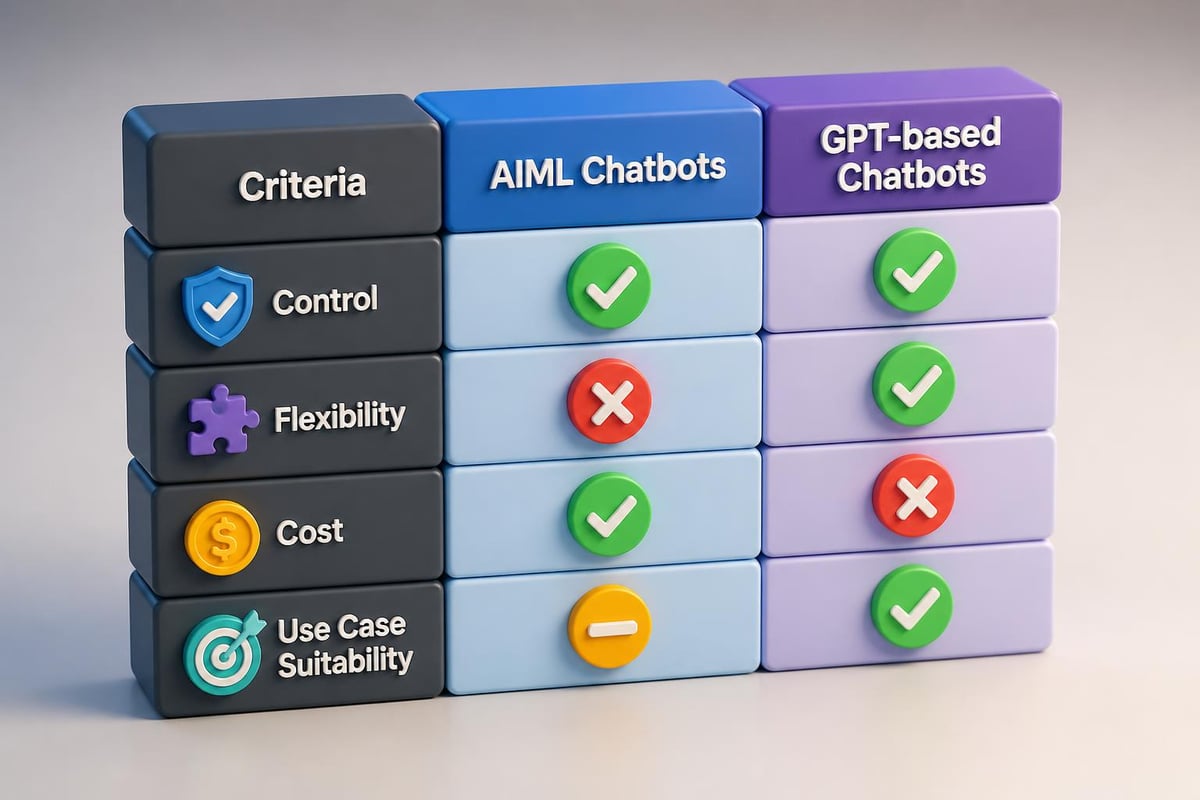
Understanding where AIML fits in 2026's AI landscape helps you choose the right tool for each project.
AIML vs. ChatGPT/Claude:
AIML provides deterministic responses. You write exactly what the bot says. ChatGPT generates responses based on training data, offering flexibility but less control.
When to use AIML:
- Regulated industries requiring auditable responses
- Scenarios needing 100% response accuracy
- Limited budgets (no API costs)
- Offline or privacy-sensitive environments
When to use GPT models:
- Open-ended conversations
- Complex reasoning tasks
- Content generation
- Situations where natural language understanding matters more than predictability
For comprehensive comparisons and practical tutorials on various AI tools, explore the resources available at Prompt Hero.Ai, which provides step-by-step guidance for using both traditional and modern AI technologies effectively.
Debugging Common AIML Issues
Every aiml tutorial should address troubleshooting. Here are solutions to frequent problems.
Problem: Bot responds with nothing
Your pattern doesn't match. AIML requires exact pattern matching. Check:
- Patterns are uppercase
- No extra punctuation in patterns
- Wildcard placement is correct
Problem: Wrong category triggers
AIML processes categories in order. More specific patterns should come before general ones:
<!-- Specific pattern first -->
<category>
    <pattern>WHAT IS YOUR NAME</pattern>
    <template>I'm CoffeeBot!</template>
</category>

<!-- General pattern second -->
<category>
    <pattern>WHAT IS *</pattern>
    <template>That's a great question about <star/>.</template>
</category>
Problem: Variables not persisting
Variables reset when the kernel restarts. For persistence:
kernel.setPredicate("username", "default_value", sessionID="user123")
Use session IDs to maintain separate conversations for different users.
The GeeksforGeeks AIML introduction offers additional troubleshooting tips and common pattern examples that help prevent these issues.
Extending AIML Capabilities
AIML's simplicity is strength, but sometimes you need more power. These techniques expand what's possible.
Conditional Logic
Use <condition> tags for complex branching:
<category>
    <pattern>RECOMMEND A DRINK</pattern>
    <template>
        <condition name="time_of_day">
            <li value="morning">Try our fresh brewed coffee!</li>
            <li value="afternoon">How about an iced latte?</li>
            <li value="evening">Consider our decaf options.</li>
            <li>We have great drinks anytime!</li>
        </condition>
    </template>
</category>
Set the "time_of_day" variable in your Python code based on actual system time, making recommendations contextual.
External Service Integration
AIML can trigger webhooks, send emails, or log conversations:
<category>
    <pattern>SEND FEEDBACK *</pattern>
    <template>
        <system>python send_email.py "<star/>"</system>
        Thank you! Your feedback has been recorded.
    </template>
</category>
Your send_email.py script handles the actual email sending while AIML manages the conversation flow.
Multilingual Support
Create separate AIML files for different languages:
if user_language == "es":
    kernel.learn("bot_spanish.aiml")
else:
    kernel.learn("bot_english.aiml")
This approach works better than trying to handle multiple languages in one AIML file, keeping each language's patterns clean and maintainable.
Learning Resources and Next Steps
This aiml tutorial provides foundation knowledge, but continued learning accelerates expertise.
Downloadable Resources:
For offline study, the AIML tutorial PDF and AIML eBook offer comprehensive coverage you can reference without internet access.
Academic Understanding:
For deeper theoretical knowledge, the AIML reference paper on arXiv provides academic context and formal descriptions of AIML's architecture and capabilities.
Practice Projects:
Build these projects to reinforce learning:
- Personal assistant bot managing your daily schedule
- Restaurant reservation system handling bookings through conversation
- Product recommendation engine suggesting items based on preferences
- Quiz bot testing knowledge with scoring and feedback
Each project tackles different AIML features, building comprehensive understanding through hands-on experience.
Deployment Strategies
Moving from development to production requires planning. Consider these deployment approaches.
Cloud Hosting
Deploy your AIML bot on AWS, Google Cloud, or Azure:
- Package as Docker container
- Set up auto-scaling for traffic spikes
- Implement logging and monitoring
- Configure HTTPS endpoints
Edge Deployment
Run AIML bots on IoT devices or local servers:
- Minimal resource requirements
- Works offline
- Low latency responses
- Privacy-focused for sensitive data
Hybrid Approach
Combine AIML with GPT models:
- AIML handles structured queries (hours, prices, policies)
- GPT handles open-ended conversations
- Python logic routes queries to appropriate engine
This gives you control where needed and flexibility where valuable, creating robust conversational systems that leverage both traditional and modern approaches.
AIML remains relevant in 2026 for building controlled, predictable chatbots that solve specific business problems. This aiml tutorial covered everything from basic setup to advanced integration techniques, giving you practical skills to create working conversational agents. Whether you're automating customer support, building educational tools, or creating internal business assistants, AIML provides a solid foundation. Ready to expand your AI capabilities beyond chatbots? Prompt Hero.Ai offers practical tutorials on ChatGPT, Claude, and other modern AI tools, with step-by-step instructions and ready-to-use prompts that solve real business challenges.