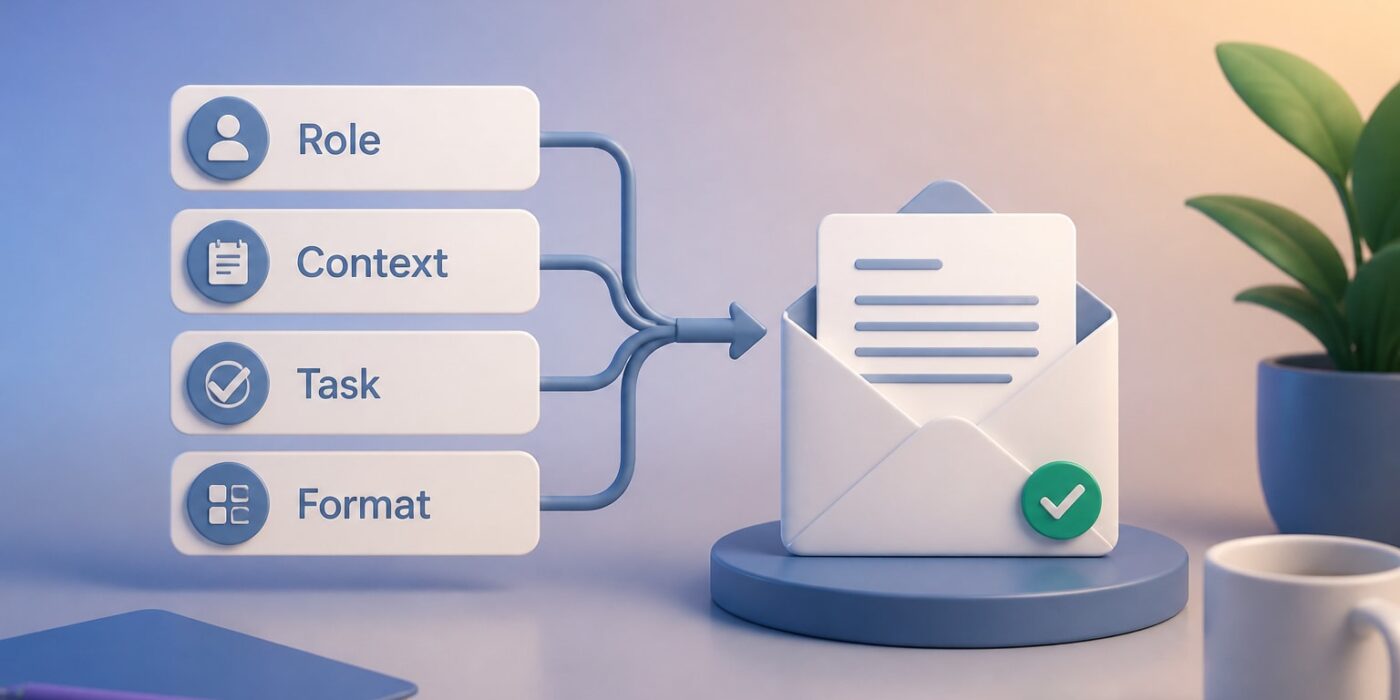
The best AI prompting examples share one structure: they assign a role, supply context, state one clear task, and specify the output format. Below are 25 copy-paste prompts for common work tasks, plus a short method for adapting them to ChatGPT, Claude or any other assistant.
Replace anything in [brackets] with your own details. Every prompt works as a starting point, and the iteration tips at the end of each group show how to tighten the result.
The four-part structure behind every good prompt
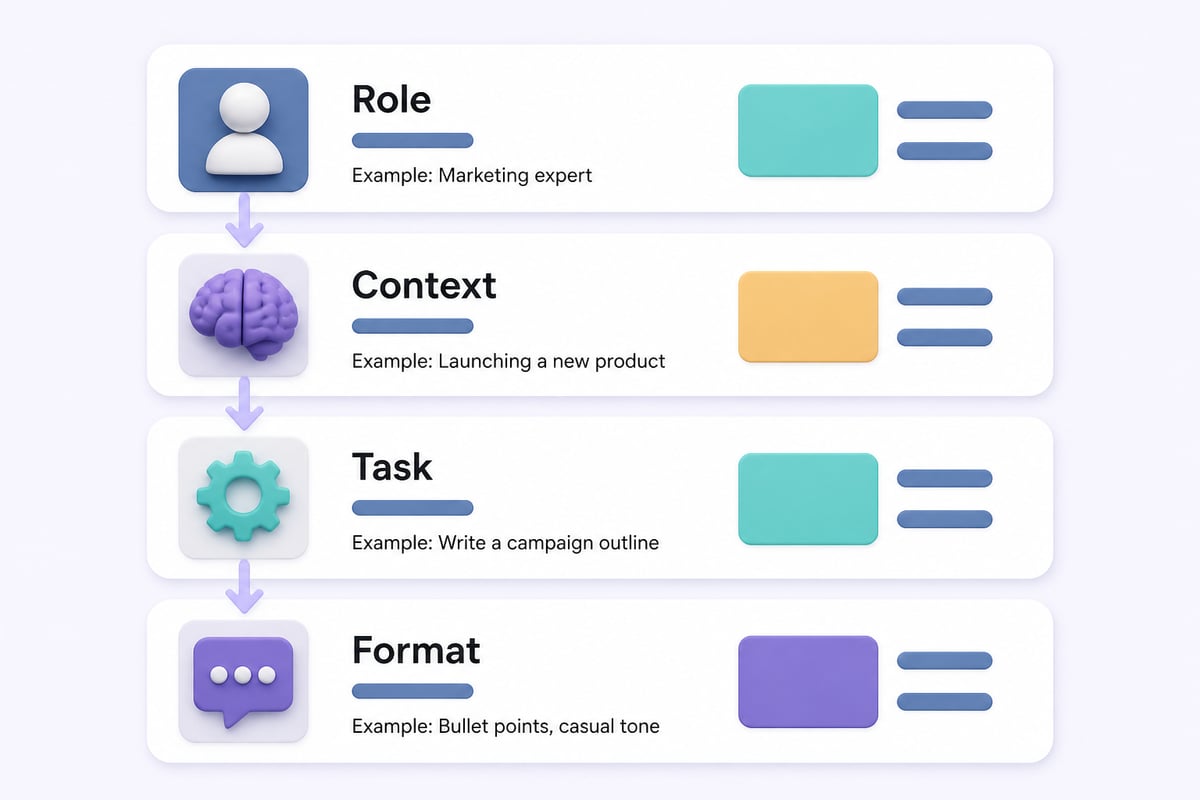
A reliable work prompt has four parts: Role, Context, Task and Format. Prompt frameworks such as RTF (Role, Task, Format) and RACE (Role, Action, Context, Expectation) are variations of this same idea.
Here is the template used throughout this article:
You are a [role]. Context: [who the audience is, what happened, what constraints apply]. Task: [one specific action]. Format: [length, structure, tone]. Ask me any clarifying questions before you start.
That last sentence matters. Asking the model to question you first often surfaces missing details that would otherwise produce a generic answer.
A weak prompt and a strong one, side by side:
- Weak: "Write an email about the delay."
- Strong: "You are a project manager. Context: our software release slipped two weeks because of a vendor API change; the reader is a client sponsor who dislikes surprises. Task: write an email that explains the delay and proposes a new date. Format: under 150 words, plain tone, one clear ask at the end."
AI prompting examples for email and communication
These five prompts cover the messages that eat the most time. Each one names an audience, because tone depends on who is reading.
- Reply drafter: "You are an executive assistant. Draft a reply to the email below. Keep it under 100 words, polite but direct, and end with one clear next step. Email: [paste email]."
- Difficult message: "You are a communications coach. I need to tell [recipient] that [bad news]. Write a version that is honest, avoids blame, and offers [solution]. Give me two tone options: warm and formal."
- Follow-up nudge: "Write a follow-up to [name] about [topic] sent [number] days ago with no reply. Make it friendly, not pushy, under 60 words, with a specific question they can answer in one line."
- Subject line tester: "Give me 10 subject lines for an email about [topic] to [audience]. Mix curiosity, benefit-led and direct styles. Flag the two you would send and say why."
- Tone rewrite: "Rewrite the draft below so it sounds confident and concise without being curt. Cut it by 30%. Keep all factual claims unchanged. Draft: [paste]."
Iteration tip: If the draft sounds generic, paste two of your own past emails and add "Match the voice of these examples." This technique, called few-shot prompting, is one of the fastest ways to get usable tone.
Prompts for meetings, summaries and documents
Summarization prompts work best when you say what the summary is for, since a summary for an executive differs from one for the team doing the work.
- Meeting notes to actions: "From the transcript below, extract decisions made, action items with owner and deadline, and open questions. Output as three headed lists. If an owner or date is missing, write 'unassigned'. Transcript: [paste]."
- Executive summary: "Summarize the document below for a senior leader with two minutes to read. Give a three-sentence overview, three key risks, and one recommended decision. Document: [paste]."
- Agenda builder: "Create a 45-minute agenda for a meeting on [topic] with [attendees]. Allocate minutes per item, name the decision needed for each, and put the most contested item first."
- Document critique: "Act as a skeptical reviewer. Read the proposal below and list the five weakest assumptions, ranked by how much damage they could do if wrong. Then suggest one test for each. Proposal: [paste]."
- Plain-language rewrite: "Rewrite this policy text at an eighth-grade reading level without changing its meaning. Keep any legal obligations intact and flag anything you were unsure how to simplify. Text: [paste]."
Iteration tip: Never paste confidential client data into a public tool. Check your company's AI policy first, and anonymize names and figures when in doubt.
AI prompting examples for research and analysis
Research prompts need guardrails, because language models can state invented facts confidently. Build verification into the prompt itself.
- Topic primer: "Explain [topic] to a smart colleague who is new to it. Cover the three ideas they need most, one common misconception, and five terms to know. Mark anything you are uncertain about."
- Competitor-neutral market scan: "List the main categories of solutions for [problem]. For each, give typical strengths, weaknesses and the kind of buyer it suits. Do not invent statistics. Say where I should verify claims."
- Data interpretation: "Here is a table of [metric] by [dimension]. Identify the three most notable patterns, one possible explanation for each, and one follow-up question I should ask the data team. Data: [paste]."
- Decision matrix: "I am choosing between [option A] and [option B] for [goal]. Build a weighted decision table with five criteria relevant to [context]. Explain your weights and show the scores."
- Pre-mortem: "Assume the project below failed in six months. List the seven most likely reasons, ordered by probability, and one early warning sign for each. Project: [describe]."
Iteration tip: Add "Cite a source for each factual claim, and say 'no source' when you cannot." Then check the sources yourself. A prompt can ask for citations, but it cannot guarantee they are real.

Prompts for sales, marketing and customer work
Marketing prompts improve sharply when you provide the customer's actual words. If you want more ideas in this category, the content prompt ideas from Superteams.ai cover lead generation and repurposing.
- Cold outreach: "Write a 90-word first email to [job title] at a [industry] company. Open with a specific observation about [trigger], connect it to [problem we solve], and ask for a 15-minute call. No buzzwords, no flattery."
- Objection handler: "Our buyers often say '[objection]'. Give me four honest responses: one that reframes, one with a proof point, one that asks a question, and one that concedes the point and redirects."
- Customer reply: "Draft a response to this complaint. Acknowledge the specific issue, apologize once, state what we will do and by when, and avoid corporate phrases. Complaint: [paste]."
- Content repurposing: "Turn the article below into one LinkedIn post (under 200 words), five tweet-length takeaways, and a three-bullet email teaser. Keep the author's voice. Article: [paste]."
- Review mining: "From the customer reviews below, extract the five most repeated praise points and complaints, quoted in the customers' own words, with a rough count for each. Reviews: [paste]."
Iteration tip: If outreach sounds robotic, give the model a real sentence from a prospect's website or post and instruct it to reference that detail naturally.
Prompts for planning, ops and personal productivity
These cover the structured thinking work that surrounds the actual job.
- Project plan: "Break [project] into phases with deliverables, dependencies and a realistic duration range for each task. Flag the three tasks most likely to slip and propose a buffer. Output as a table."
- SOP writer: "Turn my rough notes into a step-by-step standard operating procedure for [process]. Use numbered steps, name the tool or role for each, add a 'common mistakes' section, and keep each step under 20 words. Notes: [paste]."
- Weekly prioritizer: "Here is my task list and my three goals this quarter: [paste]. Sort tasks into do now, schedule, delegate and drop. Justify each drop in one sentence."
- Interview question set: "Write eight structured interview questions for a [role], each tied to a specific competency. Include what a strong answer and a weak answer sound like."
- Prompt improver: "Here is a prompt I wrote: [paste]. Identify what is ambiguous, what context is missing, and rewrite it using Role, Context, Task and Format. Explain each change in one line."
Prompt 25 is the most useful one to keep. Run your weaker prompts through it, and your results improve without extra study.
Books and courses that go deeper than a prompt list
Copy-paste prompts get you started, but a structured resource helps you build prompts for tasks nobody has written an example for. Here are the options worth considering.
The AI Prompt Mastery Handbook (Danielle Billetz-Reppert)
A paperback guide that covers role prompting, few-shot prompting, chain-of-thought and iterative prompting, and includes a 30-day plan for building your own prompt library. It suits readers who want a large reusable set and a defined routine for building the habit. Verdict: a solid pick if you prefer print and a guided schedule.
The Prompt Bible
An AI prompting guide advertised as including more than 200 ready-to-use prompts for AI tools. It suits readers who want a broad collection across different assistants instead of one tool's quirks. Verdict: a reasonable reference to keep nearby for breadth.
Mammoth Club – AI Certification & Training
Mammoth Club offers access to 3,000+ courses and over 1 million practice questions. It teaches how to use tools like ChatGPT and Claude to automate tasks and build job-ready skills, so it suits professionals who want formal training and a certification path beyond a prompt collection. Check the current subscription terms on its checkout page before buying.

Verdict: best for structured, certificate-backed learning rather than quick copy-paste use.
| Resource | Format | Key detail | Best for |
|---|---|---|---|
| The AI Prompt Mastery Handbook | Paperback | 200 prompts, 30-day library plan | Guided, structured practice |
| The Prompt Bible | Prompting guide | 200+ prompts advertised | Broad reference collection |
| Mammoth Club | Online training | 3,000+ courses, 1M+ practice questions | Certification and formal skills |
Common prompting mistakes and how to fix them
Most disappointing outputs trace back to a small set of habits:
- Stacking tasks. Asking for research, a draft and a critique in one prompt dilutes each. Split them into steps.
- Skipping the audience. "Write a summary" gives different results for a CFO and a new hire. Name the reader.
- Accepting the first draft. Treat the first output as a draft and reply with specific edits: "shorter intro, stronger second paragraph, remove the metaphor."
- No format instruction. If you need a table, bullet list or word limit, say so.
- Trusting facts blindly. Verify figures, quotes and citations before they reach a client.
Creators building a daily prompt routine can also look at reusable content prompts for planning and hook writing. For a broader grounding in the technique itself, Prompt Hero.Ai's AI prompting tutorial covers the fundamentals step by step.
How to build your own prompt library
A library saves you from rewriting the same instructions each week. Start small:
- Pick the five tasks you repeat most, such as status emails, meeting recaps and report summaries.
- Run each through the four-part template and refine until the output needs only light edits.
- Save the winning prompt with its bracketed variables and a one-line note on when to use it.
- Add a "voice sample" block: two or three examples of your own writing to paste in when tone matters.
- Review monthly. Delete prompts you never use and improve the ones you edit heavily.
Store prompts where you will actually find them, such as a notes app, a shared document or a text expander. A library nobody opens is only a folder.
Frequently asked questions
What makes a good AI prompt?
A good prompt states the role, gives the context, asks for one specific task, and defines the output format. Adding a request for clarifying questions improves results further.
Do these prompts work in both ChatGPT and Claude?
Yes. The structure is tool-agnostic, though each assistant may differ in length, tone and how literally it follows formatting instructions. Test a prompt in your tool and adjust.
How long should a prompt be?
As long as it needs to be to remove ambiguity. Several sentences of context usually beat a single line, but padding with irrelevant detail does not help.
Can I trust the facts AI gives me?
Not without checking. Models can produce plausible but wrong statements, so verify numbers, quotes and sources before using them in client-facing or decision-making work.
How do I get the AI to match my writing style?
Paste two or three samples of your own writing and instruct the model to match their voice, sentence length and vocabulary.
Key takeaways
- Use Role, Context, Task and Format in every work prompt.
- Name the audience, set the length, and ask for clarifying questions.
- Split big jobs into steps and iterate with specific edits.
- Verify facts and protect confidential data.
- Save your best prompts in a library you review monthly.
Your next step is to pick one prompt from this list, fill in the brackets with a real task from this week, and save the version that works. If you want more tutorials with step-by-step instructions and copy-and-paste prompts built for professionals, Prompt Hero.Ai covers how to use ChatGPT, Claude and similar tools to automate tasks and solve business problems. For structured training with a certification path, you can also look at Mammoth Club – AI Certification & Training.