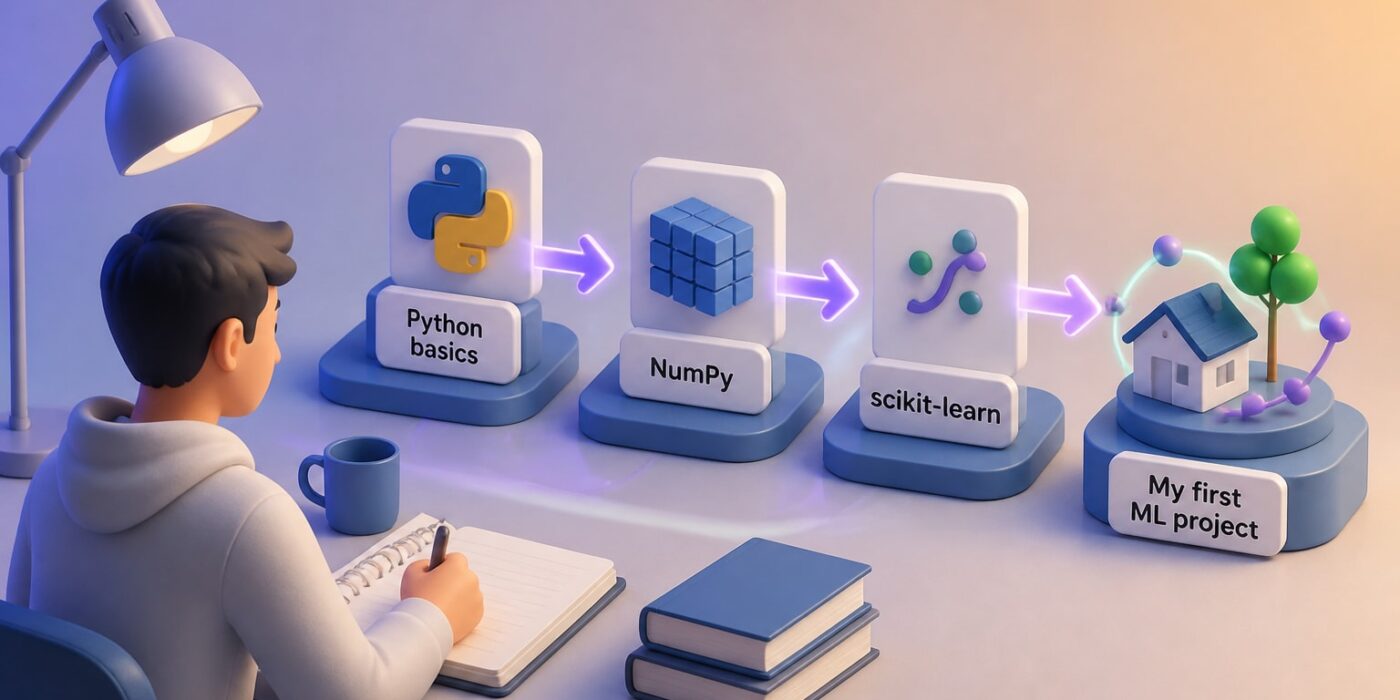
A good Python artificial intelligence course for beginners teaches core Python first, then moves into data handling, a library such as scikit-learn, and a small project you can finish yourself. If you have never coded, start with a course built for non-programmers; if you already script, pick one that gets into machine learning quickly. The sections below compare real options, explain the learning order, and show how to choose.
What a beginner Python AI course should actually teach
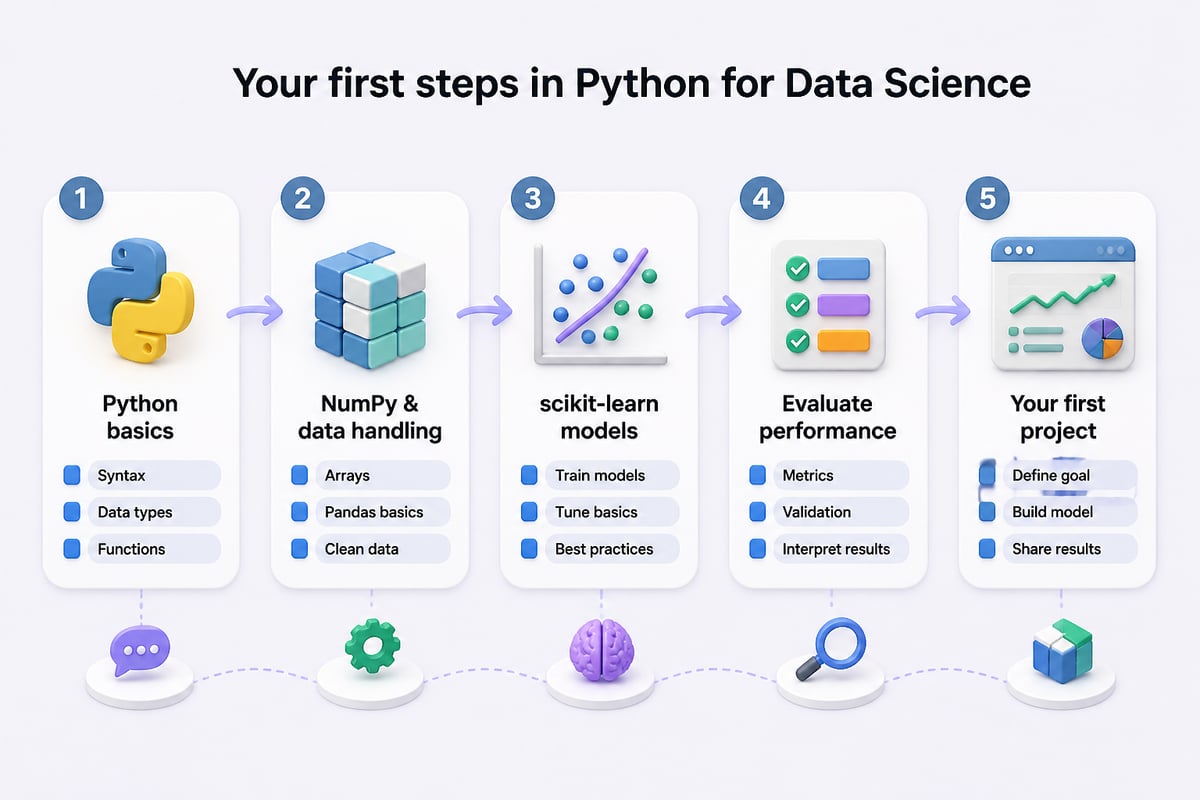
A beginner course should cover four things in order: Python syntax, working with data, a first machine-learning model, and how to judge whether that model is any good.
Python comes first because nearly every AI library is written for it. Data handling comes second because models are only as useful as the tables and arrays you feed them. The scikit-learn documentation recommends a basic understanding of NumPy arrays for anyone new to the scientific Python ecosystem, which tells you what to learn before touching a model.
Evaluation is the piece beginners most often get wrong later. A model that scores well on the data it trained on can fail on new data, so a good course teaches train/test splits and cross-validation early. The scikit-learn project's own official tutorials walk through datasets, prediction, pipelines, evaluation and parameter tuning in that spirit.
Interest in this kind of learning is real. The 2025 Stack Overflow Developer Survey drew more than 49,000 responses from 177 countries, and more than a third of respondents said they learned to use AI-enabled tools for work or career advancement in the prior year.
1. AI Python for Beginners (DeepLearning.AI)
AI Python for Beginners is a guided entry point for people with no programming background who want Python tied to practical AI uses from the first lesson.
- Level: Beginner, built for learners with no prior programming experience
- Structure: 4 modules
- Time: Estimated 2 weeks at 10 hours per week, per its Coursera listing
- Price: Free for a limited time during the learning platform beta; no regular USD price is shown
- Suits: A first course for someone starting from zero, with a short time commitment of roughly 20 hours total
The short length is the main draw. You can finish it in a fortnight and decide whether to keep going, which lowers the risk of buying a long program you abandon.
Verdict: The safest starting point for complete beginners, especially while it remains free.
2. Python for AI and Machine Learning: From Beginner to Pro
This is a compact video course that introduces the three libraries most beginners meet first: TensorFlow, PyTorch and Scikit-Learn.
- Format: 4 hours of on-demand video across 35 lectures
- Extras: 27 downloadable resources
- Price: About $84.99 USD
- Suits: Learners who already know basic programming and want a fast survey of the main machine-learning tools before choosing one to study in depth
Four hours cannot teach deep learning properly, so treat it as a map rather than a destination. It shows what each library looks like and when you would reach for it. The title promises "beginner to pro," but the runtime fits an introduction.
Verdict: A quick orientation to the library landscape, best paired with hands-on practice elsewhere.
3. The scikit-learn MOOC
The scikit-learn MOOC is a free course on predictive modeling that teaches machine learning through the library's own tools.
- Content: Fundamentals through predictive-modeling pipelines and model evaluation, according to the scikit-learn documentation
- Price: Free
- Suits: Learners with basic Python and NumPy who want to understand classical machine learning properly, on a zero budget
- Prerequisite: Comfort with arrays and basic Python syntax
Because it comes from the library's maintainers, the habits it teaches (pipelines, validation, careful evaluation) match how the tool is used professionally. Its main documentation site is also worth bookmarking as a reference while you study.
Verdict: The best free route into classical machine learning once you have Python basics.
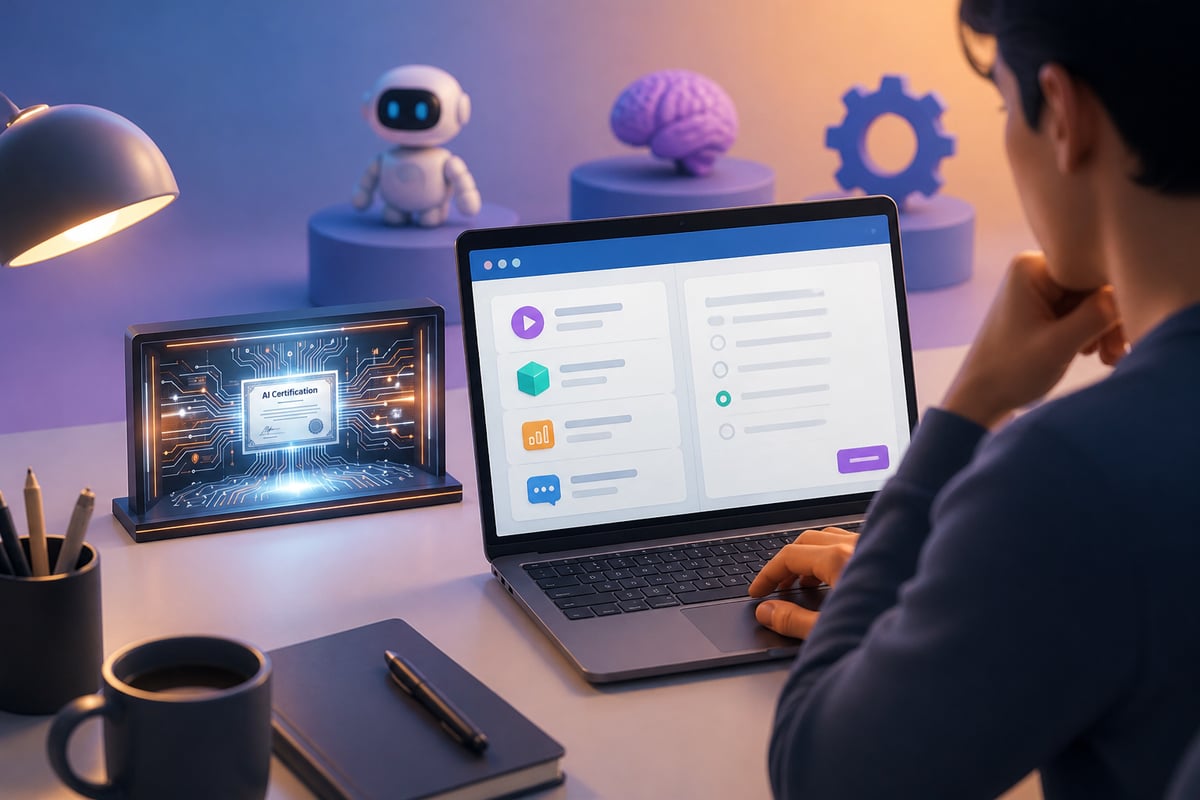
4. Mammoth Club – AI Certification & Training
Mammoth Club is a subscription library that suits learners who want AI certification and broad practical skills with tools like ChatGPT and Claude alongside their technical study.
- Library size: 3,000+ courses and over 1 million practice questions
- Track record: Built by a team that has sold more than 9 million online courses
- Focus: AI certification, automating tasks, improving productivity and job-ready skills
- Suits: Professionals who want one subscription covering many topics, including applied AI tool use, rather than a single deep Python curriculum
Be clear about the fit. This is a broad training library, not a dedicated Python programming curriculum, so pair it with one of the focused courses above if writing Python code is your goal. It earns its place for people who also want to apply AI tools at work and show a certificate for it.
Learners who want the full catalog can check Mammoth Club's unlimited subscription directly.
Verdict: A good add-on for certification and applied AI tool skills, not a replacement for a Python-specific course.
Comparison table
| Course | Level | Length | Approx. price | Best use |
|---|---|---|---|---|
| AI Python for Beginners | Beginner, no coding needed | 4 modules, about 2 weeks at 10 hrs/week | Free during beta | First exposure to Python for AI |
| Python for AI and Machine Learning: From Beginner to Pro | Beginner with some coding | 4 hours video, 35 lectures | About $84.99 | Quick tour of TensorFlow, PyTorch, Scikit-Learn |
| scikit-learn MOOC | Beginner with Python and NumPy basics | Self-paced | Free | Classical machine learning and evaluation |
| Mammoth Club | All levels | 3,000+ courses | Subscription | Certification and applied AI tool skills |
How to choose a Python artificial intelligence course
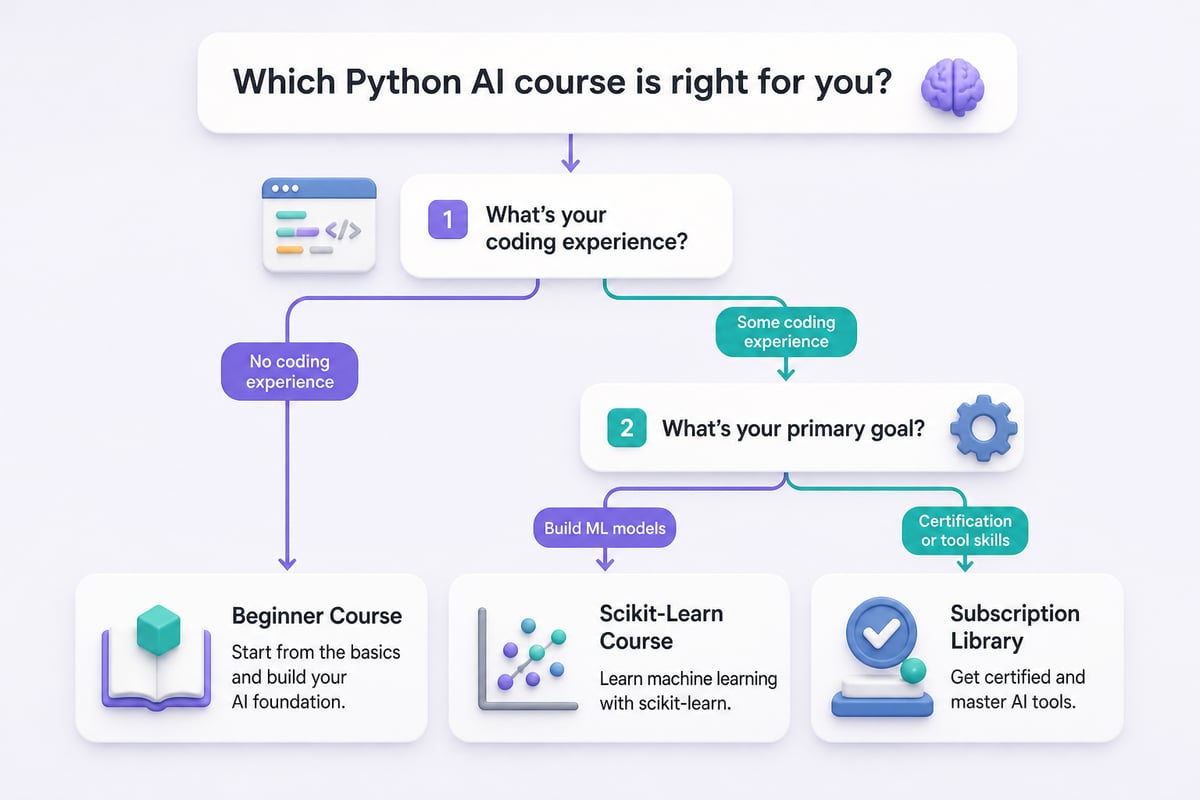
Choose by your starting point, your goal and your time budget, in that order.
- Starting point. If you have never written code, take a no-experience course first. If you can already write loops and functions, skip ahead to data and models.
- Goal. Want to build models? Prioritize scikit-learn and evaluation. Want to automate business tasks with AI tools? Prioritize prompt skills and applied training.
- Time budget. A 20-hour course finishes in two weeks of steady effort. A 4-hour survey fits a weekend. Match the format to hours you will realistically protect.
- Project. Prefer courses that end with something you built, because a finished project teaches more than a stack of watched lectures.
Pros and cons at a glance
- Free courses: No financial risk, but less handholding and fewer certificates.
- Short paid courses: Fast and structured, but shallow on any single library.
- Subscription libraries: Wide choice and certification, but you must pick and sequence your own path.
A realistic learning order for the first 90 days
The most reliable path is Python basics, then data, then one library, then one project, with each stage lasting a few weeks.
Weeks 1 to 2: Variables, lists, dictionaries, loops, functions. A course like AI Python for Beginners fits here.
Weeks 3 to 5: NumPy arrays and tabular data. This prepares you for what scikit-learn expects.
Weeks 6 to 9: One machine-learning library, studied properly. Use the scikit-learn MOOC and the official tutorials to learn train/test splits, pipelines and evaluation.
Weeks 10 to 13: A small project on a dataset you care about, such as predicting which support tickets are urgent or which leads are likely to convert.
Prompt Hero.Ai has several walkthroughs that complement this path, including a Python AI course overview, a guide to learning AI in Python and a Python for AI course breakdown.
Using AI assistants while you learn Python
An AI assistant works best as a tutor that explains and checks your code, not as a tool that writes your exercises for you.
Useful habits for learners:
- Ask for explanations. Paste an error message and ask what it means and why it happened.
- Request a review. Write the solution yourself, then ask the assistant to point out bugs or clearer approaches.
- Generate practice. Ask for five small exercises on a topic you just studied, with no answers until you try them.
- Verify results. Run the code. Assistants can produce plausible code that fails, so testing is part of learning.
A prompt that works well: "I'm a beginner learning Python for machine learning. Explain this error in plain language, then show me one way to fix it and one way to prevent it." For more structured prompting practice, see this Python AI tutorial.
Common beginner mistakes to avoid
- Jumping to deep learning too soon. Classical models in scikit-learn teach evaluation habits that carry over to everything else. TensorFlow and PyTorch add setup and concepts that can bury a beginner before a single model works.
- Collecting courses without finishing one. Complete a single course and its project before buying another. Three half-watched courses leave you with three sets of introductions and no working skill.
- Skipping NumPy. Weak array skills make later libraries feel harder than they are. The scikit-learn documentation recommends a basic understanding of NumPy arrays, so practice indexing, slicing and reshaping first.
- Judging a model on training data. Always hold out test data and measure there. A model that looks excellent on the rows it learned from can fail badly on new ones.
- Watching without typing. Code along with every lecture and change the examples. Swap in a different dataset or alter a parameter, then predict what will happen before you run it.
Frequently asked questions
How long does it take to learn Python for AI?
A focused beginner course can take about two weeks at 10 hours per week for the Python foundation. Reaching a first working machine-learning project usually takes two to three months of steady part-time study.
Do I need math before starting?
Not for the first course. Basic algebra helps once you reach model evaluation, and you can pick up statistics concepts as they appear.
Are free courses enough?
Yes for fundamentals. The scikit-learn MOOC and a free beginner Python course cover a lot. Paid options mainly add structure, certificates or convenience.
Which library should I learn first?
Start with scikit-learn. It teaches the core machine-learning workflow with less setup than TensorFlow or PyTorch, which you can add later.
Can I learn AI without coding?
You can use AI tools without code, but building or customizing models requires Python. Many professionals do both: they apply tools like ChatGPT and Claude for daily work and learn Python to automate or extend them.
Key takeaways
- Learn Python first, then NumPy and data handling, then one library, then a project. Skipping a stage usually shows up later as confusion, such as array errors when you reach scikit-learn.
- AI Python for Beginners is the lowest-risk starting point for non-programmers: 4 modules, about 2 weeks at 10 hours per week, and free during the beta.
- The scikit-learn MOOC is a free, rigorous route into classical machine learning, covering pipelines and model evaluation from the library's own maintainers.
- Short video courses, such as the 4-hour, 35-lecture option at $84.99, give orientation to TensorFlow, PyTorch and Scikit-Learn. They do not replace practice.
- Finish one course and one project before adding more. Choose by your starting point, goal and weekly hours, and judge every model on held-out data.
Your next step is to pick one course from the list above and block out your study hours for the next two weeks, then open an editor and run your first script today. If you want to pair that technical study with practical AI skills for work, Mammoth Club offers certification training that covers tools like ChatGPT and Claude. For step-by-step tutorials, copy-and-paste prompts and real examples built for professionals, visit Prompt Hero.Ai.